








The proxy sits between your client and the upstream server, records each exchange as a flow, and stores it in the current project. History is where you read those flows back.
Capturing Traffic
Start gori and point your client at 127.0.0.1:8070 (see the Quick Start). For command-line tools, gori run shell (or Open shell in the palette) starts a shell whose proxy variables and CA bundle already point at gori. Toggle capture at any time with c. Turning it off stops the listener and ends the connections a client already has open, so nothing is relayed or recorded until you turn it back on.
Once a client is pointed at the proxy, http://gori.proxy/ serves gori's info page and CA download. It is a reserved name answered locally, so it never reaches the network. That is useful on a phone, where the proxy usually gets configured before the certificate. A client with no proxy configured gets the same page by browsing to the listen address directly.
Each flow records the full request and response: start line, headers, and body (the stored body is capped at 2 MiB; larger bodies still forward byte-exact and report their true size, and the flow detail view in the TUI draws an explicit banner showing captured vs. wire bytes and how to raise capture_max_mib under Settings → Network). Bodies compressed with gzip, deflate, Brotli, or Zstd are decoded for display.
HTTPS & upstream verification. For HTTPS, gori verifies the origin server's certificate against your system CA trust store, resolved automatically from standard locations (and honouring
SSL_CERT_FILE/SSL_CERT_DIR). If none is found (e.g. a minimal container), verification fails and those flows are recorded as errors; setSSL_CERT_FILE=/path/to/ca-bundle.crt, or run with--insecure-upstream(Settings → Network → Verify upstream TLS). This is separate from trusting gori's own root CA in your client, which is what lets gori decrypt the traffic in the first place.
Intercept
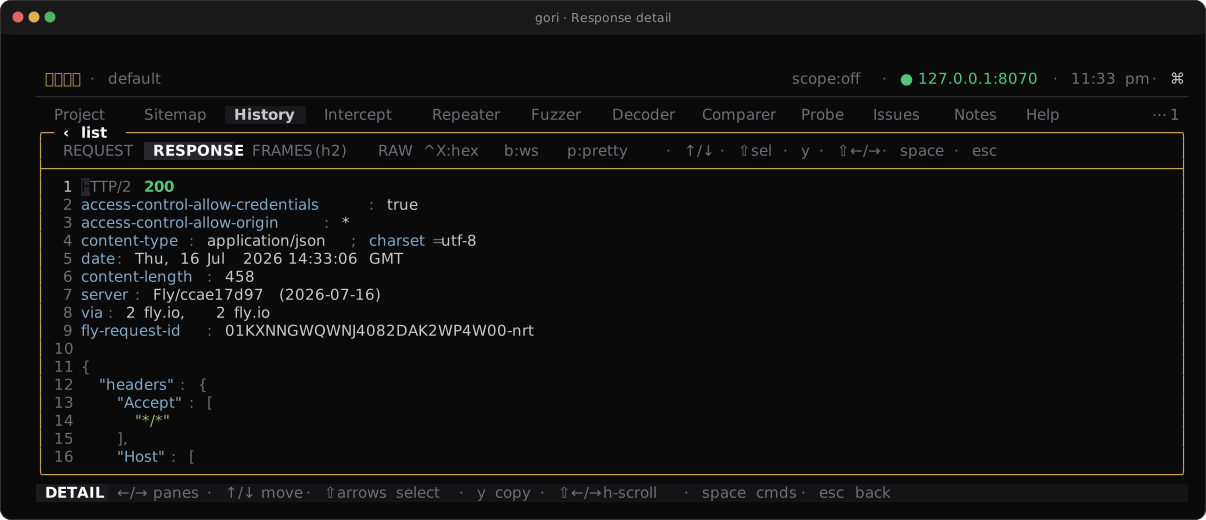
Press i to enable Intercept. When on, matching requests are held (responses too, if you choose that direction; a status: condition only matches responses) so you can forward, drop, or edit them before they continue. A filter bar at the top of the Intercept tab lets you choose the direction to catch and narrow what gets held with a query-language expression, so you only pause on the traffic you care about. While the s scope lens is on, only in-scope traffic is held, whatever the condition says. On this tab c cycles the catch direction (requests, the default / responses / all) and / edits the condition; the capture toggle is c everywhere else. ↵ or e on a held row edits it; ⇥ opens it in READ, as the Repeater's editor opens, where i or ↵ starts typing and esc steps back to READ, then to the queue. Turning intercept off releases everything still held with its original bytes, so an edit you had not yet forwarded is discarded.
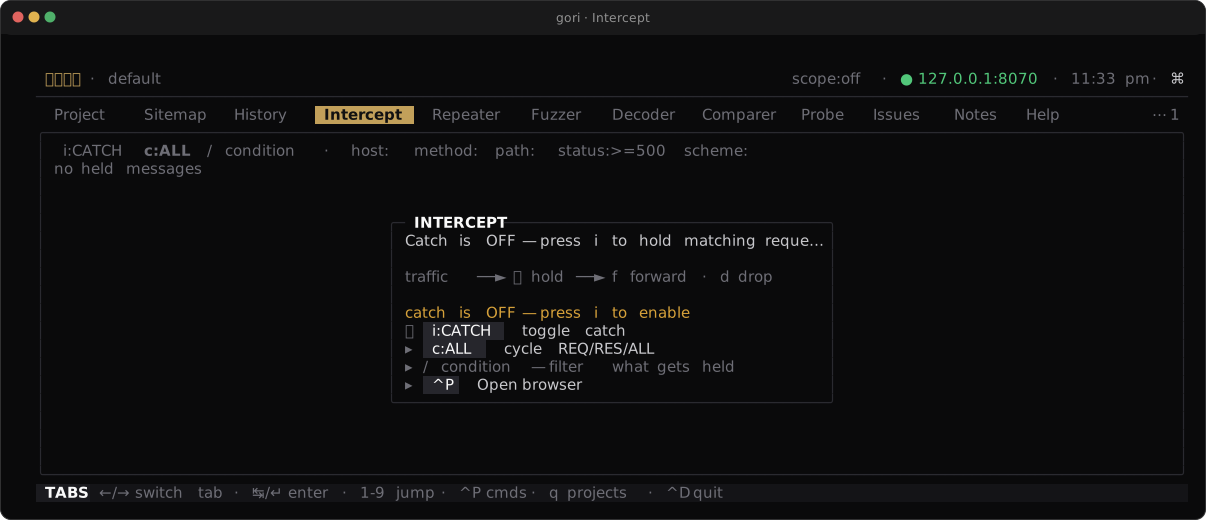
The queue takes the same multi-select as the History list (Marking flows, below): t marks the held message under the cursor and steps down, Shift-↑ / Shift-↓ extend a contiguous range, Shift-T marks the whole queue, and Esc clears. Forward (f) and drop (d) then act on the marks if any are set, else the cursor row, so a burst of holds can be released or killed in one keystroke. Shift-F still forwards the entire queue whether anything is marked or not. Marked rows get a full bar in the gutter and the filter row shows a live 3 marked count; a mark disappears the moment its message leaves the queue, so the count never outlives what is on screen.
Reading a held message needs no marks and no editor. The preview soft-wraps, so nothing runs off to the side; scroll it with the wheel, or press ↵ / e to open the editor, where PgUp / PgDn page the text and Ctrl-R forwards the edited message (Esc leaves the editor and keeps the edit). PgUp / PgDn / Home / End page the queue, the same list ↑ / ↓ walk, as they do on every other list tab.
Each row carries how long its message has been waiting, so a burst of holds reads as a queue: each hold is a real client blocked on your decision. The catch bar above it shows the condition that is actually armed, including one an agent set through MCP or gori run intercept filter. And when a gate cannot hold something it was armed for (a body over the buffer ceiling, which is forwarded rather than truncated), it says so in the notification centre instead of leaving you waiting on a row that will never appear.
History keeps what you decided. A request you edited before forwarding reads EDIT in the SRC column, and its detail adds an ORIGINAL pane holding the request exactly as the client sent it, next to REQUEST, which is what went upstream (intercept_edited in gori run history --format json and MCP). A dropped message says it was dropped at Intercept, not that the upstream failed.
What gets held
Requests are held on HTTP/1.1 and HTTP/2, gRPC included. So are responses, except the ones that have no last byte to wait for: a WebSocket upgrade (101), a Server-Sent Events stream, and a close-delimited response are forwarded as they arrive rather than held. WebSocket messages are held too, but only if you ask for them; see Intercept on WebSocket below. The request that opened the socket is held like any other request.
Intercept on WebSocket
A WebSocket message is held only when the catch condition contains proto:ws. Nothing else arms it: not a blank condition, not host:acme.test, not any direction setting. That is the exact opposite of the rule for HTTP, where a blank condition holds everything, and it is deliberate: a browser tolerates one stalled request, but a trading or chat socket carrying tens of messages a second, frozen whole because you typed a host filter, is not a state you can drain your way out of.
So the condition to type is proto:ws, optionally narrowed:
proto:ws body:subscribe          hold only messages containing "subscribe"
proto:ws host:acme.test          hold only this socket's messages
body: is a substring of the message payload and matches WebSocket messages only, because at an HTTP hold gate the bytes do not exist yet. The c:REQ / c:RES chip works as usual: REQ is client → server, RES is server → client. REQ is the default, so press c to hold server → client messages (RES) or both (ALL).
A held message goes in the same queue as a held request, with a WS↑ or WS↓ badge, the socket that carries it, and the start of the payload. Forward, drop, edit and the marks all work the same way. What is different:
- Catch has to be on before the socket opens. gori decides once, at the
101, whether a socket needs the holding path. Turning catch on, or addingproto:ws, reaches the next handshake, not the connection already running. Reconnect the client. Narrowing the condition afterwards does take effect immediately. - A held message blocks its whole direction until you decide it. Later messages from that peer queue behind it, and they are released in arrival order however you decide them: decide message 5 before 3 and it still goes out third. The opposite direction keeps running, and so do
PING/PONGin both, so the socket does not die while you read. There is no way to let one message past another; a WebSocket has no message identifiers to reorder. - A dropped message is invisible to both endpoints. Nothing is written, and a WebSocket stream has no message identity for the peer to notice a hole in: no error, no gap, no retry. That is weaker than dropping an HTTP/1.1 request (which answers a
502) or an HTTP/2 one (which cancels the stream), and gori keeps no message-log row for it either. If you need the attempt on record, note it yourself. - A binary message (opcode 2) opens the hex editor, not the text one.
↵/egives you the same byte editor the Repeater'sCtrl-Xdoes:0-9/a-fovertype the nibble under the cursor,Insinserts a00byte,Del/⌫remove one, arrows andHome/Endmove. The bytes never become a string, so protobuf, msgpack and CBOR survive an edit intact, which is why the text editor is not offered here, and whyCtrl-E(external editor) is refused on one. The card saysHEXwhere it saysEDITon a text message, and the queue row shows the size instead of a preview. - Editing a text message keeps its line endings. The payload goes out with every line's original terminator, as the Repeater and the HTTP intercept editor keep theirs.
$BIND.NAMEbindings are not expanded in a WebSocket payload (a$there is a byte, not a reference), so what you type is what is sent. - An edited message is re-framed as one frame and a client → server message is re-masked with a fresh key, exactly as a Match & Replace rule does. A message you forward unchanged keeps the sender's own frame and mask key.
- A hold has about 5 seconds left once the peer closes the other direction. gori waits that long for the closing handshake to finish and then tears the socket down; anything still held is forwarded unedited. The same happens if a
CLOSEarrives in the direction you are holding: everything undecided goes out in order, then theCLOSE, because the protocol forbids data frames after one. - Only data messages are held.
PING,PONGandCLOSEalways pass: holding a ping breaks keepalive by construction, and holding a close strands the tunnel. - A very deep queue is released for you. Past about 1 MiB queued behind a held message, or on a frame too large to buffer, the hold fails open: everything queued forwards unedited, with one line in
gori.log. A WebSocket has no application-level flow control, so nothing slows the sender down while you read. A queue that deep usually means the condition is too wide.
Match & Replace runs before the hold, so what you see in the editor is what your rules produced, and what you forward is what goes out.
Intercept on HTTP/2
Intercept works on HTTP/2 without downgrading the connection, so gRPC clients keep working while catch is on, and streams are held individually, so holding one request does not freeze the tab. Four things differ from HTTP/1.1:
-
The body is held when gori can buffer it, and only then. A message that declares a
Content-Lengthof 1 MiB or less (and one with no body at all, which is most page loads) is held whole: you see and edit head and body, and on forward theDATAframes are rebuilt from your bytes with theContent-Lengthyou sent, exactly as on HTTP/1.1. Its queue row appears once the whole message has arrived, not when its head does, which is also HTTP/1.1's timing.Everything else is held head-only: a streaming upload or response with no declared length (SSE, gRPC streams), a body over the ceiling, or a padded body. Those bodies stream past the gate untouched, a body typed into the editor is refused rather than silently dropped, and
Content-Lengthstays as the sender set it. The intercept editor,gori run intercept getand the MCPintercept_gettool all say which kind of hold you have before you write an edit, and the body of a head-only hold is still fully visible in History afterwards. -
Drop cancels the stream rather than answering with a
502page. The client sees a cancelled request (gRPC reportsCANCELLED); the connection and every other stream on it stay up. History records the drop exactly as it does on HTTP/1.1. -
A held request delays later requests on the same connection. HTTP/2 requires new streams to reach the origin in order, so requests that start after a held one wait for your decision, including while gori is still buffering that request's body. Requests already in flight keep uploading, all responses keep arriving, and a held response delays nothing at all.
-
A Match & Replace body rule needs the hold to cover the body. As on HTTP/1.1, it runs before you see the message, so the queue shows the rewritten body with its
Content-Lengthmade true, and forwarding it unchanged sends the rewrite. A head-only hold is left unrewritten, and so is a rewrite that would grow a held response, or a held request past the origin's initial window, because the hold can only send what the receiver is known to accept. History says so on the flow.
Everything a head rule cannot express on HTTP/2 (Head rules on HTTP/2, below) applies to a head you edit by hand too.
Scope
Scope keeps a large session focused on your target. In the Project tab you define include/exclude rules by host, string, or regular expression. Toggle the scope lens with s to filter the views down to in-scope traffic, and use scope to gate what Intercept and the scanners act on.
Sandbox
The Sandbox is a hard containment gate for staying strictly in-bounds during a test. Toggle it in the Project tab's Project settings pane, or from anywhere via the command palette (Ctrl-P → Toggle sandbox). It is off by default. While it's on, the capture proxy forwards only the requests your scope allows. Everything else is blocked before it reaches the origin and recorded as an aborted flow so the attempt stays visible. On HTTP/1.1 the client gets a 403 with an X-Gori-Sandbox: blocked header; on HTTP/2 the blocked stream is cancelled (RST_STREAM with CANCEL) and the rest of the connection keeps working. "Allowed" means the scope evaluated as an allowlist: at least one include rule must match, and no exclude rule may match.
Because it is an allowlist, a scope with no include rules blocks all traffic, so add an include for your target first (enabling the sandbox with an empty scope asks you to confirm exactly this). A red sandbox chip in the top bar stays lit whenever it's on, and the Project settings row spells out the current effect right next to the toggle.
The sandbox also stops gori's own sends: a Repeater, Fuzzer, Miner, gori run or MCP request to a host outside the allowlist is refused, even when the scope check was waived with --allow-unscoped / allow_unscoped:true. That up-front scope check is per surface: MCP refuses any target that is not in scope with SCOPE_BLOCKED, even when the project has no scope yet; gori run refuses a target outside a configured scope; the TUI's Repeater and sweeps have no up-front check, so only the sandbox and explicit excludes stop them. For HTTPS the sandbox relies on TLS interception to read request URLs: a host that can't be in scope is refused at the CONNECT step, and every request on a host that gets through is checked individually. That per-request check runs on HTTP/2 as well, per stream, so the sandbox no longer costs a host its protocol and gRPC clients keep working while it's on. Cleartext HTTP/2 tunnelled inside CONNECT (h2c, rare) gets the same per-stream check as any other HTTP/2 connection: the tunnel opens, and each out-of-scope stream on it is cancelled individually.
Sitemap
The Sitemap tab collapses History into a deduplicated tree of host → path endpoints, with method chips and scope markers. It's a quick way to see the shape of a target's attack surface. Each root is an origin, scheme://host:port with the default port left out (https://acme.test, http://127.0.0.1:19021), so two services on one host, or its HTTP and HTTPS sides, stay separate trees, and sending, opening, Params, Discover and the export from a row stay on that origin. A path tag belongs to the host and shows under each of its origins. Path-param ids are folded by default, so /user/1 and /user/2 share one node and /user/<uuid> collapses into a single {uuid}; press g to show the literal ids. Query strings fold on their own axis: /search?q=widgets and /search?q=<payload> are one /search row, expandable to the variants, and ⇧G turns that off.
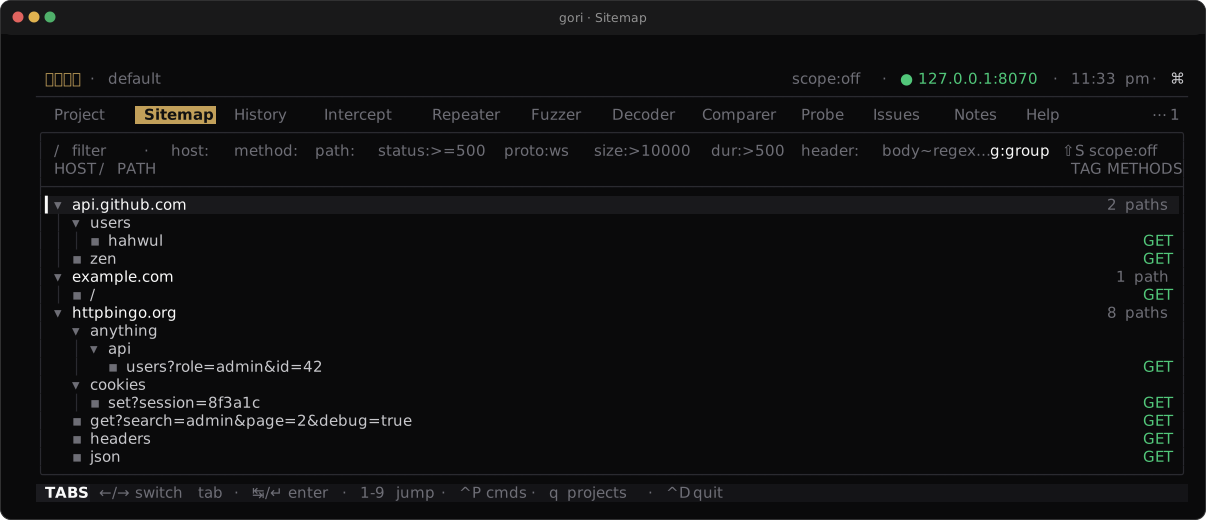
host → path tree with method chips, so you can read a target's surface at a glance.Marking paths (multi-select)
The tree takes the same multi-select as the History list (Marking flows, below). Press t to mark the path under the cursor and step down, so a run of t marks consecutive rows; Shift-↑ / Shift-↓ extend a contiguous range from where you started; Esc clears the marks. Marked rows get a full bar in the gutter and the filter row shows a live 3 marked count (plus how many are currently off-screen; a mark under a collapsed subtree stays marked). Letting go of Shift and pressing a plain ↑ / ↓ hands the range back, the way a GUI list collapses its highlight; marks you placed with t stay, and the wheel only scrolls.
Marks change what the action menu acts on, not which actions exist. The effective target is the marks if any are set, else the cursor row:
| Action | Key | Over marks |
|---|---|---|
| Tag path | Space m |
One editor, one memo, applied to every marked path (blank clears them all) |
| Send to Repeater | r |
One sub-tab per marked endpoint, deduplicated by captured flow (max 20) |
| Export OpenAPI | ⇧E |
One document covering every marked path |
So / status:5xx → ⇧T marks every path the filter shows (or mark them one at a time with t) → Space → m → auth tags the lot, and tag:auth brings them back later. The menu title reads SPACE · 3 MARKED and the entries rename themselves (Tag 3 paths, Send 3 paths to Repeater). Discover and the Sequencer stay single-target (they scan one subtree / collect one endpoint's token), and their menu entries say (cursor) while marks are set.
Note that t marks, ⇧T marks all and Space → m tags: t / ⇧T mean mark / mark all in every list tab, so tagging is the menu entry here. ⇧T marks every captured path the tree currently shows (the / filter and the open folds decide the set), and a host or a folder row is skipped, because the batch would otherwise sweep them in beside the endpoints under them. A synthetic {uuid} / [1, 2, 3 …] fold is not a real path either, so it can't be marked or tagged: a range sweeps over it, and t on one says so.
Parameters
Press p on a Sitemap row to open the Params sub-tab (Sitemap · Discover · Diff · Params) narrowed to that host or subtree. It lists every input name the captured requests carry, one row per endpoint, location and name. Locations are query, form, multipart, json, headers and cookies. Each row shows how many flows carried the name, a few sample values, and a ↩ when a value of four or more bytes came back verbatim in the first 256 KiB of the decoded response body. ↩ marks a place to look for XSS or injection, not a finding. JSON names are paths such as user.email and items[].id; the [] only collapses array indices and is not JsonPath syntax. Headers every browser sends (User-Agent, Accept*, Sec-*, …) are left out until you press a.
The scan reads the flows the Sitemap shows, so the / query and the s scope lens apply. It reads the newest 5,000 of them and marks the header TRUNCATED when older flows were not read. ^R rescans. Esc drops the node filter, and a second Esc goes back to the sub-tabs.
| Action | Key | Result |
|---|---|---|
| Open flow | ↵ |
The newest request that carried the name, in the History detail |
| Copy | y / ⇧Y |
The name, or every listed name one per line |
| Export wordlist | w |
The listed names (JSON leaf names, no headers) as a list in the wordlist catalog (~/.gori/wordlists/), owner-only, named params-HOST-TIMESTAMP.txt |
| Mine | m |
Opens the Miner on this endpoint with the names seen on its origin's (scheme, host and port) other endpoints tested first |
The same inventory is gori run sitemap params on the CLI and list_params over MCP.
JavaScript references
The API surface of a single-page app lives in a bundle the browser already downloaded, and the tree only shows the routes someone clicked through. Space → J (Scan JavaScript) reads the captured JavaScript responses and the inline <script> blocks of captured HTML pages, finds the endpoint literals in them (fetch("/api/v1/users"), an axios call, a route table), and adds the paths nobody has requested to the tree as dimmed rows marked js. It sends nothing: the bytes are already in the project. A path that captured traffic already reaches keeps its row and gains no second one, so the N paths counts stay traffic-only.
The scan reads the flows the tree shows (the / query and the lenses apply), newest first, 500 per run, and only responses it has not read before, so running it again after more browsing reads just the new bundles. The toast reports how many new endpoints it found and any cap it hit (a body is read up to 2 MiB). Space Z J (Display… → Toggle JS references) hides or shows the js rows.
A reference is read the way a browser would resolve it:
- An inline script resolves against its page, or the page's
<base href>. - An external script resolves against the page its captured request's
Referernames, since a CDN bundle's"/api/cart"targets the page's origin. Without aRefererit falls back to the script's own origin, and the reference is markedguessed. - A template literal keeps its shape:
`/api/users/${id}/orders`becomes/api/users/{expr}/orders, never the directory/api/users/. - A literal inside a comment is kept (old routes are worth seeing) and marked as such.
- The bytes are treated as page-authored: a space is percent-encoded, and a literal carrying CR or LF is dropped rather than repaired. Images, fonts and a bare
/are skipped.
A host gori has never captured (an API subdomain the bundle calls, but also www.w3.org from an SVG namespace) appears only when a scope include names it. With the s lens on, references are filtered by the scope too.
| Action | Key | On a js row |
|---|---|---|
| Open flow | o |
Opens the script (or page) that referenced the path in the History detail, on the response pane, and names the line and byte |
| Send to Repeater | r |
A bare GET for the path in a new Repeater tab. Nothing is sent until ^R, and no cookie or Authorization from the page is copied |
| Discover here | Space > D |
Crawls under the path, as on any row |
The stored references are deleted with the flows they came from, so history clear clears them; they never appear in History, QL or the OpenAPI export. The same data is gori run sitemap js (with --scan) and gori run sitemap --js-refs on the CLI, and scan_js_endpoints / list_js_endpoints (or list_sitemap with include_unrequested) over MCP.
OpenAPI export
Press ⇧E on a Sitemap row (or Space → E) to write an OpenAPI 3.0.3 document. It covers the marked paths if any are marked, otherwise the cursor row: a host row exports that whole origin, and any other row exports the endpoints under it. The popup asks for the destination; end the name in .yaml or .yml for YAML, and anything else writes JSON. The flows are the ones the tree shows, so the / query, the s scope lens and the hide-static lens all apply, minus the requests gori sent itself (Repeater, Fuzzer, Discover, …). The export runs in the background, and a toast reports the operations written, any cap that cut the document short, and how many flows were skipped (WebSocket, gRPC, SSE, incomplete).
Paths are templated (/users/123 → /users/{userId}) and merged, parameters are required only when every sample carried them, and bodies and responses get schemas inferred from the samples. Credentials become security schemes and their values are never written, and the TUI export has no example values. For examples (redacted), size caps and every option, use gori run sitemap export; MCP has the same export as export_openapi.
Protocol Support
The canonical capture / intercept / replay / fuzz table is the capability matrix. The details below explain the proxy-side tradeoffs behind those boundaries.
gori does not intercept HTTP/3. QUIC is UDP and every gori listener is a TCP socket, so an origin answering Alt-Svc: h3=":443" is offering the client a way out of the proxy. By default gori leaves the offer in place and says so (the flow carries an advisory naming what got through), so a client that leaves for QUIC is a reported blind spot rather than an unexplained gap in History. Turning on network.strip_alt_svc removes the Alt-Svc fields advertising h3 from the response the client receives, on both HTTP/1.1 and HTTP/2, so the response the client reads offers it nowhere to go. (A client that learns an h3 route some other way, such as a DNS HTTPS record, is beyond what any response-side strip can reach.) It removes those fields and nothing else: Alt-Svc: clear stays, because it tells the client to forget alternatives it has already cached, and a field advertising only a non-h3 alternative like h2=":8443" stays too, because that is another TCP port and still comes through gori. The unit is the field, not the alternative inside it: one field carrying both (Alt-Svc: h2=":443", h3=":443") goes whole rather than being rewritten, because re-joining the remainder would put gori's own spelling of a remote-chosen field on the wire, and the h2 half costs no visibility anyway.
By default, gori disables WebSocket compression. gori removes Sec-WebSocket-Extensions from the handshake it relays, so permessage-deflate is not negotiated and every captured frame is the message that was sent. Without that removal the two peers would agree on compression that gori does not decode, and History, the detail view, gori run history show, the MCP tools and export would all show you a deflate stream while presenting it as the payload. Removing the offer is the price of a capture you can trust: an app that would have used compression does not get it while it goes through gori. If you need a particular host's sockets relayed exactly as they are, put the offer back with a Match & Replace head rule on the request. The strip runs before Match & Replace so that a rule can do this: restore Sec-WebSocket-Extensions and the origin is really offered the extension, so gori relays its acceptance untouched and the two peers negotiate compression as they would without a proxy. The flow is still captured, with a [gori] notice on it saying the frames you are looking at are that extension's encoded bytes rather than the messages. TLS passthrough also leaves the connection alone, but captures nothing at all for it. Reach for the rule first, and for passthrough when you want the host out of gori entirely.
The handshake and the transcript are two panes. Open a captured socket and the detail view gains a MESSAGES chip beside REQUEST and RESPONSE (plus whatever else the flow carries: FRAMES (h2) on an RFC 8441 socket, GRAPHQL on a subscription). RESPONSE is the upgrade the server answered with: the 101 (or the RFC 8441 200), the subprotocol it picked, the extensions it accepted, any Set-Cookie it issued there. MESSAGES is the frame log. They are separate because they answer different questions and neither substitutes for the other: after restoring Sec-WebSocket-Extensions with the rule above, RESPONSE is where you read whether the origin really took it. ^X (hex) and b (reveal whitespace) work on RESPONSE, as on any captured head; on MESSAGES they stay off, because its bytes live in the message log rather than in response_body.
Interim responses are kept with the flow. An origin can send one or more 1xx heads before its real response: a 103 Early Hints, or the 100 Continue that answers an Expect: 100-continue upload. gori relays each one to the client unchanged (except to an HTTP/1.0 client, which cannot read one) and records it with the flow, over HTTP/1.1 and HTTP/2. The detail view gains an INTERIM chip beside RESPONSE, gori run show --format raw prints the ones the client received ahead of the final response in wire order, and --format json and MCP get_flow list them all as interim ({status, relayed, head}); one the client never got reads relayed: false, and raw names it on stderr instead of printing it. RESPONSE stays the final response alone. The origin chooses how many to send, so gori keeps the first 16 (within 64 KiB) and reports how many more it did not record (interim_omitted).
An event stream shows its events while it is still open. A text/event-stream response is recorded as it streams, over HTTP/1.1 and HTTP/2. The flow shows its status and content type once the head arrives, and while it is still Pending, the EVENTS (sse) pane, gori run show and MCP get_flow all read the events received so far. gori writes them in batches: at 16 KiB, or at the end of an event at most four times a second, never one write per event. The capture cap still bounds the body. An event that arrives soon after a batch, followed by silence, appears with the stream's next bytes (usually its heartbeat). body: filters and search see the body only once the stream closes. If gori stops mid-stream, the flow keeps the events it had relayed. While the stream is open, the History row shows ● and the number of events so far in its DUR column. Each event in EVENTS (sse) carries its arrival time relative to the first event (▸ event #2 +0.412s), and gori run show and MCP get_flow report it as t_ms. The times are kept after the stream closes. A compressed stream, and one captured before gori recorded them, shows no times.
Injecting a frame into a live WebSocket
A frame can be pushed into a socket the proxy is still relaying, in either direction, on the connection the app already has. That keeps everything a replay loses: the authenticated session, the subscriptions the client made, and whatever state the server built for that socket. It is the way to answer "what does the client do when the server sends this", or to send the server a message the client's UI never would, mid-conversation.
gori run intercept inject 42 --direction in --data '{"role":"admin"}'
gori run intercept inject 42 --opcode binary --file frame.bin
gori run intercept inject 42 --opcode ping
MCP's ws_inject takes the same flow_id, direction, opcode and payload (payload, or payload_base64 for exact bytes). Both go through the TUI that is capturing the project, because only that process holds the socket; a headless gori run capture cannot inject, and the command says so.
In the TUI, open the flow in History. While the proxy still holds its socket, the FLOWS row shows ● beside WS, the drill-in's footer reads ● open with how long, and Space → Inject frame… opens a form: direction (client → server by default), opcode (text, binary, ping, pong or close) and a one-line payload, which a binary or close frame takes as hex (48656c6c6f, spaces or : between octets allowed; a close opens with its status code, 03e8 for 1000). ↵ injects, esc cancels. The result lands in the status line, and the frame shows in the MESSAGES pane as ⇢ … [injected] (⇠ for server → client). A closed or HTTP/2 socket does not offer it.
outis client → server (the default) and is masked with a fresh key,inis server → client and is not, as RFC 6455 requires. The frame is one complete frame (FIN set) of the type you name:text,binary,ping,pongorclose.- The bytes are yours. No
$ENVor$BINDexpansion, no Match & Replace, and the frame goes out ahead of a message Intercept is holding on that side, since it does not pass the hold. - A data frame waits for a message boundary. If the peer on that side is in the middle of a fragmented message, the frame waits up to 5 seconds for its last fragment, because a data frame inside another message breaks the stream. Past that it is refused and nothing is written.
ping,pongandclosego in at once, since the protocol allows them between fragments. Only one data frame per direction waits at a time; a second is refused at once. Once aclosehas gone out in a direction, by either peer or by you, a data frame there is refused, since nothing may follow it. - A peer that stops reading ends the socket. If the socket accepts nothing of the frame for 5 seconds, its write gives up. Part of it may already be on the wire and nothing after it would parse, so gori closes the socket and records that it did. The limit is per stall, not for the whole frame: a peer that keeps reading, however slowly, is not cut off.
- It is recorded. The frame joins the flow's messages marked as injected:
[injected]in History's MESSAGES pane and ingori run history show,origin: "gori"andinjected: truefrom MCPget_flow, and_originin HAR export. - It is an active request. From the CLI and MCP, scope applies to the flow's host (
--allow-unscoped/allow_unscoped:truewaives it). From the TUI, as with a Repeater send, scope is not checked. The sandbox refuses on every surface, and each frame counts against the project's request budget. - HTTP/1.1 sockets only. An RFC 8441 socket over HTTP/2 is refused by name, and so is a flow whose socket has already closed.
WebSocket over HTTP/2
Modern browsers open a WebSocket over HTTP/2 when the origin advertises SETTINGS_ENABLE_CONNECT_PROTOCOL, using the extended CONNECT of RFC 8441 instead of the HTTP/1.1 Upgrade: handshake. gori relays that advertisement verbatim, so a client is entitled to take the path, and gori reads the socket when it does. RFC 8441 replaces the handshake and nothing else, so the frames are the same RFC 6455 frames, read by the same codec: a finding does not depend on which handshake opened the socket.
Capture and replay are the same. Live editing is not. The transcript shows up in History's MESSAGES pane, gori run history show, the MCP get_flow tool and HAR export, exactly as an HTTP/1.1 socket's does. ^R in the Repeater, gori run repeater send, MCP send_websocket and a Fuzzer sweep all re-open the socket and exchange frames over it. Two things are HTTP/1.1-only:
- Per-message intercept, Match & Replace on messages, and injecting a frame. Both would have to rewrite a DATA frame to a different length, and on HTTP/2 that deadlocks against the peer's flow-control window. gori reads the frames from a copy, after they are already on the wire, so nothing here resizes a frame or writes to a socket. The flow carries a
[gori]advisory saying which half of the support it got, rather than leaving you to infer it from an empty result. - A per-connection ceiling. gori reads at most 8 extended
CONNECTstreams concurrently on one HTTP/2 connection. Past that a stream is relayed byte-for-byte with no transcript at all, and its advisory says that is what happened. A browser opens a handful of sockets per origin, so this is a bound on pathological cases rather than a limit you meet by working normally.
Replay re-opens the socket the way the capture did. Seed a Repeater from an RFC 8441 flow and you get the WebSocket tab, not an HTTP one: gori dials HTTP/2 (ALPN h2, or h2c prior knowledge on a plaintext target), waits for the origin's SETTINGS_ENABLE_CONNECT_PROTOCOL, sends :method CONNECT with :protocol websocket and the capture's own :path, :authority and headers, and treats the 2xx (not a 101, which has no meaning on HTTP/2) as the socket opening. From there it is the same engine as the HTTP/1.1 path: the same message script, masking, frame shapes, caps and transcript. The handshake is the capture's, byte for byte; nothing is invented, and the X-Gori-Protocol: websocket line you see in the request pane is the :protocol pseudo-header, editable like any other.
Five things this reports rather than glossing over. An origin that does not advertise SETTINGS_ENABLE_CONNECT_PROTOCOL is a refusal naming the setting, because RFC 8441 §3 forbids sending an extended CONNECT without it, not an empty transcript. A non-2xx answer is a refusal carrying the origin's own head. A RST_STREAM or GOAWAY mid-session keeps the frames already exchanged and adds the peer's stated error code to the result's note. And a --http/^V override on such a tab has two stops rather than three (WebSocket, or the CONNECT as a plain HTTP/2 request), because there is no HTTP/1.1 form of these bytes to send. keep_sec_websocket_key has nothing to keep here (RFC 8441 has no Sec-WebSocket-Key) and the result says so instead of ignoring the flag.
Filtering finds these. The PROTO column reads WSS and proto:ws returns an RFC 8441 socket alongside an HTTP/1.1 one, because gori records the extended CONNECT's :protocol token on the flow at capture time rather than deciding from the 101 an h2 handshake never carries. proto:wss still means the TLS one specifically. Two things this deliberately does not do: an extended CONNECT carrying connect-udp (RFC 9298) or connect-ip (RFC 9484) is not RFC 6455 framing and does not match, and a handshake the origin refused is an ordinary failed request (no socket was opened), exactly as a rejected HTTP/1.1 handshake is. Flows captured by a gori older than this stay unclassified rather than being guessed at retroactively; re-capture to label them.
protobuf without a .proto
gori decodes gRPC payloads from the protobuf wire format itself. There is no schema: field names and declared types live in a .proto, and gori does not read one, so what you get is numbered fields with their wire types (varints, fixed32/fixed64, and length-delimited payloads), nested as deeply as the bytes nest.
Ambiguity is reported, not resolved. Without a schema a length-delimited field is genuinely several things at once: it is always raw bytes, it is a string when the payload is valid UTF-8, and it is a nested message when the payload parses cleanly as one. gori lists every reading that fits and shows each of them, under a one-line note saying none is authoritative. Picking a winner is the failure this decoder is written to avoid: a guess that reads as a fact is worse than the bytes.
A compressed message is inflated first. The gRPC frame's 0x01 flag says the payload is compressed, and the stream's grpc-encoding names the codec. For gzip, deflate and identity gori inflates the message and decodes it like any other; the message header says so ((gzip, inflated 120b), and encoding / inflated_size in the JSON). The inflation is a view only: the captured bytes are what is stored and resent. A message that would inflate past 4 MiB is refused as a decompression bomb rather than inflated, and one body inflates to at most 16 MiB across all its messages; the rest stay bytes.
Two payloads deliberately stay hex, on every surface:
- A compressed message gori cannot inflate: an unknown codec (
snappy,zstd, …), nogrpc-encodingat all, or a corrupt or oversized stream. The frame is shown as bytes with a note saying why. - A grpc-web trailer frame. Its payload is ASCII header lines, not protobuf.
The tree is on every surface: the TUI's History and Repeater panes (p toggles between the tree and the byte preview; ^X still gives the byte-exact dump), gori run history show --format json (as grpc_messages[].protobuf) and the MCP get_flow tool (as request_grpc_messages / response_grpc_messages). A truncated or hostile message decodes as far as it parses and is marked complete: false rather than being rejected; the octets stay reachable either way.
…and with one
When you have the schema, gori will use it. Point a project at a descriptor set (the binary artifact protoc writes) and the same panes render named, typed fields instead of numbered ones:
protoc --descriptor_set_out=api.desc --include_imports -I. api.proto
Set the path in Project → Project settings → Proto schema: a .desc file, or a directory of them (.desc, .pb, .protoset, .fds, .bin). Leave it blank and gori loads every descriptor set in ~/.gori/protos/, so dropping a file there is enough for every project that has no path of its own. The row shows what actually loaded (2 files · 41 messages · 12 rpcs) or why nothing did, because a path that quietly resolves to nothing is the failure mode worth naming. It is a project setting: a .proto describes one target's API and should not follow you to the next engagement.
A descriptor set is itself protobuf, so gori parses one with its own decoder and needs no protoc at runtime. gori does not read .proto source files; point it at one and it says so, with the command above.
The path is the binding. A gRPC request goes to /package.Service/Method, which the descriptor set maps straight to the rpc's input and output message types. So the request pane is read through the input message, the response pane through the output message, with no guessing and nothing to configure per flow. The one-line note above the tree names the rpc and the message it resolved to, so you can see which binding gori picked.
The schema is a lens over the bytes, never a replacement for them (P7). Three things follow, and all three are visible:
- A field number the schema does not declare is still shown, drawn exactly as it is with no schema at all: every reading that fits, under
(undeclared). An undocumented field is often why you are reading the wire in the first place. - A wire type the declaration contradicts is reported as a disagreement, not quietly re-read: the row says what the schema declared and what actually arrived, and the raw reading is drawn underneath it. Either side can be the finding: a server that changed a field's type without a new number, or a stale
.desc. - The raw tree never goes away.
gori run history show --format jsonand MCPget_flowkeep emitting the rawprotobuftree unchanged and addschemabeside it;^Xstill gives the byte-exact dump.
A gap in the schema is distinguished from a conflict with it: an enum value with no name, or a message type the set does not carry, is a note saying the schema is short, not a claim that the bytes are wrong. With no descriptor set loaded, every surface renders exactly what it did before.
Editing a field, not a byte. With the schema loaded, the Repeater's gRPC tab grows a second editor over the same payload. ␣Pf (the ␣Pf:FIELDS chip on the request card) lists the message as named, typed rows; ↵ on one opens a value field. Type a value, apply, and gori re-encodes that field and copies every other byte of the message straight from the capture. The declaration is what makes that possible: the wire says a field is a varint, not whether it is an int32 (sign-extended), a bool, an enum or a zigzag sint32, and -3 is a different set of octets in each. bytes is edited as hex, an enum takes its own value name, and a packed run is a comma-separated list. Applying an unchanged value gives the capture back byte for byte. Unary calls only, for the reason ^X is one: a 0- or multi-message body has no single payload to edit. A nested message is editable field by field; the row for the message itself is not.
Adding a field the capture never carried. proto3 leaves a field at its default off the wire, so an is_admin: false or an unset role has no row to edit. Ctrl-P → Edit gRPC message as JSON opens the whole message as proto3 JSON in $EDITOR, with field names as declared (the isAdmin spelling is read too). Save, and gori re-encodes it: a key the capture lacked adds that field, a key you deleted removes it, and every field you left as it was keeps its captured bytes, including one the JSON cannot show (an undeclared number, a wire type the schema contradicts). An unknown key or a value its field cannot hold is refused with the reason, never dropped, and the next open brings your text back to fix. As in proto3 JSON, bytes are base64 and 64-bit integers are strings. Ctrl-P → Add gRPC field sets or adds one field from path=value: a declared name (role=ROLE_ADMIN, profile.age=30) or a field number, which needs no schema at all (7:varint=1; the type after : is varint, i32, i64, string, bytes as hex, or a .proto scalar such as sint32). A spec of -path alone (-role, -profile.tags, -7) removes every occurrence of that field instead, so "field omitted" is a test too; a field the message does not carry is refused rather than ignored. Both re-compress a compressed message. Headless, --grpc-field PATH=VALUE (repeatable) on gori run repeater send, gori run repeater <flow-id> and gori run send, and MCP send_request{grpc_fields}, apply the same spec through the same function, and recompute the length prefix over the edited message.
A row you cannot type into says why. An (undeclared) field number and a wire type the schema contradicts both stay read-only and keep their raw reading, because there is nothing to type them as, and offering a typed editor there would be the guess the lens exists to avoid. ^X is still how you change those octets, and still the way to send something the schema calls impossible. The ␣Pr:FRAME toggle governs the 5-byte length prefix in front of an edited message exactly as it does after a hex edit.
Or ask the target. A server that answers gRPC server reflection already has the descriptors; gori run grpc reflect https://api.test:443 fetches them and caches them in the project, and MCP's grpc_reflect does the same for an agent. In the TUI it is on a captured flow: gRPC: reflect schema in the palette (Ctrl-P), which reflects against that row's own host. grpc.reflection.v1 is tried first and v1alpha second (still what most deployed servers expose); a server that answers neither says so rather than failing quietly. gori asks for the services, then the file declaring each one, then their imports until the graph closes.
The result is the same lens: one Schema, one /package.Service/Method binding, the same renderers and the same field editor. The Proto schema row says where each half came from (1 file · reflection https://api.test:443 · 41 messages · 12 rpcs), and a descriptor set the two sources disagree about is counted as redefined rather than silently merged, with the target's own word taking precedence.
It is an outbound request, and it is treated as one. It runs when you ask and never on capture, on opening a flow, or on project open (P4); it goes through the same scope chokepoint as every other active send, so a target outside a configured scope, or without one, is refused before the connection is opened (--allow-unscoped / allow_unscoped:true waives the up-front check, Sandbox mode does not lift). Nothing re-fetches on its own: gori run grpc schema lists what is cached, gori run grpc forget <target> drops one. And the schema it produces is still a lens: the target's word about what it accepts, over bytes that remain the truth.
Connect
Connect is gRPC's schema and status model over plain HTTP, on HTTP/1.1 or HTTP/2, and gori reads it wherever it reads gRPC:
- A stream (
application/connect+protoor+json) uses gRPC's 5-byte envelope, so it is deframed the same way. A message flagged0x01is inflated under the stream'sconnect-content-encoding. The0x02end-stream message is shown as JSON (end-streamin the TUI,end_stream: truewith ajsonstring in the JSON), because that is what it is. The PROTO column readsGRPCandproto:grpcfinds it. - A unary call (
application/protoorapplication/json, with a plain body) is named Connect only by the request'sconnect-protocol-versionheader. A protobuf body is decoded as one message, with no envelope, after itscontent-encodingis undone, and the.protolens applies as it does to gRPC. A JSON body is already readable and gets no protobuf view. A plainapplication/jsonrequest without the header is not Connect. No row column records that header, so the PROTO column calls a unary callHTTP.
The outcome is surfaced. A Connect error is a non-200 response whose JSON body is {code, message, details} (unary), or the error in the end-stream message (streaming). gori run history show --format json and MCP get_flow both add a connect object to a Connect flow: streaming, end_stream on a stream (false when the capture never reached the end-stream message, so a cut stream does not read as a clean one), plus code (permission_denied, as the origin spelled it) and message when the call failed. Probe fingerprints a Connect service as tech_grpc.
Not yet: the Repeater's gRPC tab and field editor, gRPC field fuzzing and reframing all still need gRPC framing, so a Connect flow opens in the Repeater as an ordinary HTTP request. A unary call sent as a GET (?connect=v1&encoding=…&message=…, the message in the query string) is not recognised yet either.
MessagePack and CBOR
A body whose Content-Type says application/msgpack or application/cbor (including the +msgpack / +cbor suffixes) is rendered as JSON in the detail pane, under the same p toggle everything else reflows with. Without it these bodies hit the binary placeholder and the hex view, because both formats encode the integer 0 as a NUL byte and essentially every real one trips the binary sniff.
The JSON is a projection, not a re-encoding. Both formats carry things JSON has no room for, and every one of them comes back named rather than folded away: {"$bin": "…"} for a byte string, {"$ext": "…", "$ext_type": n} for a MessagePack extension, {"$tag": n, "value": …} for a CBOR tag (with $bignum and $time beside the raw value, never instead of it), {"$str_invalid_utf8": "…"} for text that is not, and a decimal string for an integer past what a JSON number holds exactly. A reader that quietly coerced any of those would be inventing evidence.
One ambiguity is accepted rather than papered over: a document whose own map key is literally $bin or $tag renders the same shape a wrapper does. Escaping every key in every body to defend against the one body that does this would make the common body harder to read, and the bytes are one ^X away when it matters.
Because it is a projection, it is never written back over anything you are about to send: formatting a msgpack request body in the Repeater editor is refused rather than replacing your bytes with something that cannot become them again. A document that ends mid-value renders what it read and says so in the pane's note, the ordinary case for a body cut short by the capture cap. The bytes stay one ^X away throughout, and the same rendering is in gori run show --format json and MCP get_flow as binary_documents[].
For these two formats the dispatch is on the content type alone, never a sniff. A body labelled application/octet-stream is not offered to either reader, because a reader with no schema will make something of any bytes, and a rendering that is wrong is worse than a hex dump that is right. The Decoder tab (msgpack-decode, cbor-decode) is where an unlabelled body goes, because there the operator is the one who decided what it is. The four readers in the next section do dispatch on a marker, and it says why that is a different question.
Native serialization: Java, ViewState, PHP, pickle
AC ED 00 05 in a cookie. /wE… in a hidden field. O:8:"stdClass":… in a parameter. gori has always flagged these (the passive serialized_object rule points straight at the insecure-deserialization surface), and the next question was always "what is in it?". Four readers now answer it, with the same labelled-tree projection MessagePack and CBOR get.
| Format | Marker | What the projection shows |
|---|---|---|
| Java serialized | AC ED 00 05 (base64 rO0AB…) |
{"$object": …} per instance with its declared fields, the writeObject annotation a collection keeps its entries in, and $Proxy(…) for the dynamic proxy a gadget chain ends in |
| ASP.NET ViewState | FF 01 (base64 /wE…) |
the ObjectStateFormatter token tree, and whether a MAC is there; "mac": false is itself the finding |
PHP serialize() |
O:<len>:"Class":… / a:<n>:{…} |
{"$class": …}, with private and protected property names demangled and their visibility kept beside them in $private / $protected |
| Python pickle | \x80 PROTO |
the opcode disassembly, pickletools-style, plus every callable the stream names |
A pickle is disassembled, never run. Unpickling hostile bytes is remote code execution by design (GLOBAL names a callable and REDUCE calls it), so the reader walks the opcode stream and reports it. globals at the end of the disassembly lists every callable the stream mentions and reduce counts the calls; that pair is usually the whole finding.
A back-reference is emitted, never expanded. Java's TC_REFERENCE and PHP's r: / R: both name a value already in the stream, and each comes back as {"$ref": n}. Expanding one turns a small blob into exponential output, and the sharing is itself a fact about the graph. Pickle's memo is the same idea without the marker, because that reader disassembles rather than builds a tree: a BINGET is an opcode record whose argument is the memo key.
Read-only, and only as far as the format goes. Nothing is re-encoded: an edited Java or .NET graph is not something gori writes back, and gadget-chain generation stays an out-of-tool ysoserial step. A ViewState's Token_BinarySerialized payload is a BinaryFormatter graph (a different format again), so its bytes come back named with the record header identified, rather than half-read. And an encrypted ViewState (base64 that does not begin /wE) is left alone exactly as the passive rule leaves it: encryption is the fix, and flagging it would punish the secure configuration.
Here the dispatch is the bytes' own marker, because none of these four formats has a content type: a Java stream arrives as application/octet-stream, a serialized PHP value as text/plain. Every marker is structural rather than a keyword, and the rendering still has to reach the end of the body before the pane will show it. Protocol-0 pickle is the one the sniff refuses: it has no header at all and its opcodes are printable ASCII, so ordinary prose disassembles into plausible garbage; the Decoder tab's pickle-disasm reads it, because there the operator is the one who decided what the bytes are. A ViewState usually reaches the Decoder tab too, since it lives in an <input value=…> rather than as a body.
On top of the wire protocols, gori decodes common payloads inline:
- JWT: header and payload decoded from
Authorization, cookies, URLs, and bodies (signatures are shown but never verified). - SAML: base64 (and DEFLATE for the redirect binding) decoded for
SAMLRequest/SAMLResponse. - GraphQL:
query,operationName, andvariablesparsed out of every shape a real API exposes: a POST JSON body, a GET?query=, aquery=…&variables=…urlencoded body, a batched array, a persisted query (extensions.persistedQuery, which carries no document at all), a multipart upload mutation, and a rawContent-Type: application/graphqldocument. A request that is GraphQL-carrying but does not parse says why rather than losing the pane, because the malformed one is usually the one worth reading. Subscriptions count too: agraphql-transport-wsor legacysubscriptions-transport-wsframe on a captured socket is decoded into the same GRAPHQL pane, keyed on the payload being a GraphQL envelope rather than on the subprotocol's spelling of the frametype. - Real-time framings: the envelopes that ride inside a socket (Socket.IO / Engine.IO
42["chat",{…}], SignalR0x1e-delimited hub records, STOMP, SockJS, and Action Cable) are decoded into a pane named after the framing, one line per frame with the event name, hub method, destination or channel lifted out of the envelope. Detection is on the payload: a protocol is only offered once the transcript carries a frame that could be nothing else, so a chat app sending2as a text frame is not reported as Socket.IO. The handshake'sSec-WebSocket-Protocolis a hint that can switch a decoder on for an all-heartbeat session, never an authority over what a frame is. SockJS wraps another framing, so its messages are unwrapped and handed to the other decoders (stomp via sockjs). Frames stay viewable raw in MESSAGES; a frame that does not parse falls through to raw rather than to a guess. - JSON-RPC / MCP: a JSON-RPC 2.0 call or batch in the request body is paired by
idwith its reply, whether the response is one JSON body or an SSE stream (MCP's Streamable HTTP transport). The RPC pane, namedMCPfor an MCP server, shows each call's method, params and result or error, names the tool, prompt or resource an MCP call is about, says which call went unanswered, and lists the server's own notifications and requests from the stream separately. Find calls with QLrpc:tools/call. - LLM API calls: an OpenAI chat-completions, OpenAI responses or Anthropic messages request, recognised by its body rather than its host so a self-hosted gateway counts too. The LLM pane shows the model, the request's message roles and declared tools, and the reply's text, tool calls, stop reason and
usage; a streamed reply's deltas are reassembled into the same text and tool calls the non-streamed one would carry. - Form params:
application/x-www-form-urlencodedandmultipart/form-datarequest bodies, plus the URL query string, decoded into a flat key=value list in the PARAMS pane (multipart file parts are summarised).
Where a flow came from
History holds more than what your browser did. gori's own tools write into it too: an MCP
send_request records by default, a Discover crawl persists what it fetched, a Repeater send
is recorded from the TUI (and on request from gori run), a fuzz sweep can be, and import
reads somebody else's capture in. All of them used to be indistinguishable from captured
traffic, which matters the moment History is read as evidence: "the target answered this" and
"I made this happen" are different claims.
The SRC column says which. PROXY is traffic a client sent through gori; RPTR, FUZZ,
CRAWL and friends are requests gori made; IMPRT was read in from a file. The detail pane
spells it out in the strip under the text (sent by gori — repeater (tui) #4), naming the
surface it came from and the session behind it, so a row can be traced back to the tab that
produced it. That strip also carries the exchange's facts (status, protocol, request and
response size, latency, content type and capture time) under every pane, so the panes
themselves stay the wire's bytes.
Filter on it with src::
src:proxy        read History as traffic that really happened
src:gori         only what gori put on the wire
-src:repeater    everything except your own resends
A colour rule takes the same term, so src:gori + a strip marker keeps your own traffic
visually separate while you scroll. Flows captured before the upgrade that added this carry no
source: they show — and match neither direction, because gori will not guess at a provenance
no capture recorded.
Repeater sends are recorded by default, and Settings → General → Record Repeater sends
turns that off. It governs the TUI only; gori run repeater send still needs
--record-history (off by default) and MCP send_request still takes record_history (on by
default), so no script's behaviour moves under it. WebSocket sends, send-groups, races and
timing runs are not recorded; the status line says so once.
Filtering History
History is searchable with gori's query language. A few examples:
status:5xx                  flows that errored
host:api.example.com        a single host
method:POST body:password   POST requests mentioning "password"
dur:>500                    responses slower than 500 ms
path~/admin/                path matching a regex
Type a query in the History filter bar, or run it headless:
gori run history -q 'status:5xx host:api.example.com'
Views (v)
A view is a named query the list narrows to, and it is a mode: press v, pick one, and it keeps narrowing while you type unrelated filters. That is the difference between a view and the filter bar: a view is ANDed over whatever you type, the same way the s scope lens is, so / status:5xx refines the view instead of replacing it. The filter row carries a v:name chip so what you are looking at is never a guess. It is lowercase like the ⌁follow and s scope chips beside it, and abbreviated where a name is too wide for the row (History + Repeater shows as v:history+repeater). The name itself is unchanged everywhere it is a name (the picker, gori run views, --view, MCP), and --view ignores case, so --view history finds History.
Seven views ship with every project, on two axes. The source views answer is this evidence about the target, or something gori did?; the protocol ones answer which conversation am I reading?
| View | Means |
|---|---|
| All | everything |
| History | src:proxy. Only traffic a client actually sent through gori |
| History + Repeater | src:proxy OR src:repeater. That, plus your own resends. The default |
| WebSocket | proto:ws. Sockets, cleartext and TLS alike |
| gRPC | proto:grpc |
| SSE | proto:sse. Server-sent event streams |
| Errors | status:>=400 |
The two axes are deliberately not pre-combined: a view named WebSocket that also excluded an imported socket would be lying about its own name. They compose through the lens instead: pick History + Repeater and type proto:ws, and you get the intersection without either built-in having to anticipate the other.
A new project opens on History + Repeater, not All. The flows gori's own crawler, fuzzer and importer wrote are not evidence about the target, and a list that mixes them in is the defect src: exists to fix; the default just fixes it for people who never type the term. Repeater is in because a resend is your own deliberate act on a real endpoint, and reading its response beside the captured one is the point of the tab. One exception: a project captured before gori recorded provenance opens on All instead, because src: matches those rows in neither direction and the usual default would show an empty list.
Type a filter you want to keep and the picker's + Save current filter as a view… row names it. You are asked where it lives:
- Project: this engagement only. Where a
host:api.acme.test scope:inbelongs. - Global: every project, in
settings.json. Where asrc:view belongs.
Inside the picker, ^E loads a view's query back into the filter bar to edit (saving it under the same name updates it), and ^X deletes one. Built-ins cannot be edited or deleted. Saving a name that already exists in the other scope moves the view there rather than leaving two.
The active view is remembered per project across restarts, like the scope lens. If a view is deleted from another gori while you have it on, History drops back to All and says so rather than filtering by something that no longer exists.
Views are a project object, not a TUI convenience; all three surfaces read them:
gori run views                                   # list, with the active one marked
gori run views add 'acme errors' -q 'host:api.acme.test status:5xx'
gori run views add 'proxied' -q 'src:proxy' --scope global
gori run views set 'acme errors' -q 'status:>=500'
gori run views scope 'acme errors' --to global   # re-home it
gori run views rm 'acme errors'
gori run history --view 'History' -q 'status:5xx'
MCP has the same set: list_views, create_view, update_view, delete_view, and a view argument on list_history.
One caveat worth knowing before the list looks broken: a flow captured before gori recorded provenance carries no source, and src: matches it in neither direction. So the History view on an older project can be empty however much traffic it holds. The empty state says so, and All shows everything.
A view's query is checked when you save it, not when it runs. One whose every term would be dropped is refused outright, because it would narrow nothing while the v: chip claimed otherwise.
Hiding static assets
Browsing an app through gori puts dozens of .png, .woff2 and .mp4 rows next to every API call. The first row of the v picker, [ ] Hide static assets, hides them. ↵ on it ticks the box and leaves your view alone, because it is a lens of its own ANDed over the view and the filter bar, the same way s is. While assets are hidden the filter row shows a static:hidden chip, and a click on the chip shows them again. The setting is shared with the Target → Sitemap tree, where Space Z s toggles it, and it is remembered per project. It is off by default, since the safe direction on a security proxy is to hide nothing.
It is the QL term -static:true (static:), so a filter or a saved view can say the same thing. Only images, fonts and audio/video count, judged by the response Content-Type and, when a response has none (a 304), by the path's extension. SVG, CSS, JavaScript, source maps, JSON, archives, PDFs, HLS playlists and an image fetched through a URL parameter (an image proxy such as /_next/image?url=…) stay visible. So does anything but a successful fetch: an error, a redirect, or a flow that got no response. Headless, pass gori run history --hide-static or gori run sitemap --hide-static; over MCP, pass hide_static to list_history or list_sitemap. Neither reads the TUI's setting.
Columns (Space Z c)
A query answers which flows match. A column answers the other half: what is the value of X in each row. Press Space Z c and you can add one (an X-Request-Id, a JWT sub, a rate-limit header, a field out of a JSON body) and it is drawn beside every flow in the list.
A column is an extract descriptor, the same five ways of finding a value in a message that session bindings already use, so there is nothing new to learn:
| Kind | Reads |
|---|---|
header |
a named header |
cookie |
a cookie by name: Set-Cookie on a response, the Cookie jar on a request |
jsonpath |
a leaf of a JSON body (data.id, $.items[0].name) |
regex |
capture group 1, else the whole match, over the decoded body |
position |
a fixed byte range of the decoded body |
Each column also names a side: the response (the default) or the request. That matters more than it sounds: the id you want in the list is as often the one your client sent as the one the origin echoed back, and a column of each, side by side, is how you see a proxy rewriting it.
The editor is a list card: a adds, e edits, d deletes, and Shift-← / Shift-→ move a column left or right. Order is the whole point of the card, so it is what the arrows do. Everything is saved to the project the moment you press it, and the list behind the card redraws immediately. While you are typing a descriptor, the form's bottom band shows what it pulls out of the flow under the cursor, so you judge it against a real message rather than from memory.
Columns take their cells from the right-hand cluster and outrank TYPE / SIZE / DUR: a narrow terminal drops those first, because they are the cells you did not ask for. A descriptor that matches nothing draws a blank cell: never the selector, and never the — that SRC uses for "gori does not know". Values are extracted only for the rows actually on screen, and remembered per flow, so scrolling a 5,000-row window costs what its visible dozen costs.
The set is a project object, and the headless surfaces read the same values:
gori run ls                                     # draws this project's columns
gori run ls --no-columns                        # the plain listing
gori run ls --column header:x-request-id        # ad-hoc, replacing the project's set
gori run ls --column 'RID=req:header:x-request-id' --column jsonpath:data.id
gori run ls --format json --column 'T=regex:tok=(\w+)'
A --column spec is [LABEL=][req|res:]kind:selector. The label defaults to the selector, and the side to the response. A = only separates the label when it comes before the first :, so regex:token=(\w+) is the pattern you wrote and not a column called regex:token. MCP's list_history takes the same specs under a columns argument and carries the values back on each row. It is opt-in there, since a per-row block an agent did not ask for is paid for on every row of the page.
Marking flows (multi-select)
Press t to mark the flow under the cursor and step to the next older one, so a run of t marks consecutive rows (in either list order). Shift-↑ / Shift-↓ extend a contiguous range from where you started, Shift-T marks everything the current filter shows, and Esc clears the marks. Marked rows get a full bar in the gutter and the filter row shows a live 3 marked count.
Letting go of Shift ends the range: a plain ↑ / ↓ (or PgUp / PgDn, or a click on another row) hands the range back and moves on, the way a GUI list collapses its highlight. Marks you placed deliberately with t or Shift-T stay; that is what makes a discontiguous set possible, since you arrow between them without Shift. The mouse wheel only scrolls, so it never drops a mark.
Marks change what the space menu acts on, not which actions exist:
the effective target is the marks if any are set, else the cursor row
So / status:5xx → Shift-T → Space → d deletes every error in one confirm, and y copies all their URLs. The menu title reads SPACE · 3 MARKED and the entries rename themselves (Delete 3 flows, Mine 3 flows) so a batch is never a surprise.
| Action | Key | Over marks |
|---|---|---|
| Copy | y |
The URL list (one per line) |
| Copy as… | Space Y |
urls / host list / cURL / raw requests / raw responses / req+res pairs |
| Delete | d or Space d |
One confirm for the whole set (⇧X is a different verb: it wipes the project's whole History) |
| Link… | Space L |
One card lists every issue and note (plus + New issue… / + New note…); pick or create once, attach every flow, and on an issue freeze each exchange as immutable evidence (max 20 copies; above that the links still land) |
| Add issue | Shift-F |
One issue with every flow as evidence |
| Repeater / Fuzzer | Ctrl-R / Shift-I |
One sub-tab per flow (max 20) |
| Mine parameters | Space > m |
One config popup, one session per flow (max 20) |
| Run active scan | Space A |
The request estimate is summed across the set |
| Add host to scope | Space H |
Hosts deduplicated: 12 flows on 2 hosts adds 2 rules |
| Send to Comparer | Space > c |
Exactly 2 marked fills A (older) and B (newer) directly |
Marks survive a filter change, a re-sort, and leaving the tab and coming back; the count chip tells you how many are currently off-screen. Anything that sends traffic still asks first and still honours scope per request; marking changes the request count, never the gate. A few actions stay single-target because they only make sense for one flow (opening the detail, the Sequencer, opening a response in the browser, mocking a response); the first three say (cursor) in the menu while marks are set.
Copy a request as code
Space Y on a single flow (in History, in the detail view's REQUEST pane, or on a Repeater tab) opens Copy as…, which offers that request in the shape another tool reads:
| Row | What lands on the clipboard |
|---|---|
| URL / Headers / Body / Cookies | The parts on their own; a row is dropped when the request has nothing to put in it |
| cURL | A runnable curl command that sends what was captured: a path with .. segments carries --path-as-is, and a body captured without a Content-Type carries -H 'Content-Type:', so curl rewrites neither |
| Python | A requests script |
| fetch | A JavaScript fetch() call |
| Go | A net/http program |
| httpie | An http command line |
| CSRF PoC | A self-submitting HTML form reproducing the request cross-origin |
| wscat | WebSocket Repeater tabs only: the handshake plus the out-frames as a wscat session |
| Raw request / Raw response / Req + Res pair | The wire bytes, unchanged |
Every language row is the request; a response pane has its own shorter menu (status + headers / body / raw). They are byte-identical to gori run show --format curl|python|fetch|go|httpie|csrf (run show), because the menu and the CLI share one serializer. On a Repeater tab the menu also runs a ¦chain exec: hook, unlike every pane that merely draws the request: a command line that omitted the hook would not reproduce the send it claims to be.
Marking several flows switches the menu to the set-shaped formats instead: URLs, host list, and (up to 20 flows) cURL, raw requests, raw responses and req+res pairs. The per-language snippets stay single-flow: a file of twenty Go programs is not something anyone pastes.
Open a response in the browser
A terminal cannot lay out a page, show you a PNG, or paginate a PDF. Space > b (Send flow to… → Open response in browser) hands the response to something that can: gori writes the decoded body to a file under ~/.gori/preview/ and opens it with your desktop's opener (open on macOS, xdg-open on Linux).
It is on three surfaces, all the same action:
| Where | Key | Opens |
|---|---|---|
| History list | Space > b |
The cursor row's response |
| History detail | Space > b |
The open flow's response |
| Repeater | Space > b |
The active sub-tab's last response |
Four things are worth knowing before you press it.
The body is decoded, the headers are not included. gori stores wire bytes, so most real responses on disk are gzip/br/zstd; a file:// URL carries no Content-Encoding, so the preview holds the inflated document. Only the body goes in the file; the headers are already on screen in the pane you invoked it from.
The extension is gori's, never the target's. It comes from a fixed allowlist keyed on the response's own media type (text/html → .html, image/png → .png, an application/vnd.api+json → .json), and anything unrecognised becomes .txt or .bin. A hostile Content-Type cannot pick what your desktop dispatches on. The file name is built from the flow id and a timestamp, so no captured byte reaches it either.
Relative assets will not load. gori does not inject a <base href>, because that would make the page fetch its real CSS and JS from the live origin, traffic you did not ask for. So a page whose assets are relative renders unstyled. This shows you what the response said; point the proxied browser at the URL when you want what the site looks like.
HTML runs. Opening a target's page in a browser executes its JavaScript, from a file:// origin that cannot reach the target's cookies, the same bargain Burp's "Show response in browser" makes. gori does not strip scripts, because a neutered render is a different document from the one under test. The status line says so when the document is one a browser will execute, which is why it has no bare-letter key and lives in the menu (Space > b).
The preview directory is gori's, mode 0700, and swept to the newest 32 files on every write; wiping ~/.gori takes it with them.
Match & Replace (Rewriter tab)
The Rewriter tab is the Match & Replace editor: rules that rewrite requests and responses in flight. It is off the tab bar by default: press 0 and type "rewriter", use the command palette (Ctrl-P → Match & Replace, or Go to Rewriter), or give it a slot in Preferences.
Each rule has an operation:
| Operation | What it does |
|---|---|
| Replace | Find and replace text in the head or body, by literal substring or regex |
| Add header | Append a Name: value header |
| Set header | Replace a header's value by name, or add it if absent |
| Remove header | Drop a header by name |
Short circuit (stub in the editor) |
Answer the request from the rule, without dialing the origin at all |
| Pipe | Run a command (no shell), feed it the matched bytes on stdin, and replace them with its stdout |
Set JSON field (json_set) |
Set the value at a JSON path in a body or WebSocket message, adding the key if it is missing |
Remove JSON field (json_remove) |
Delete the member or array element at a JSON path |
A Replace rule targets the request or response, and the head (request/status line + headers), the body (the entity), or ws (a WebSocket message; see Match & Replace on WebSocket below). Choose literal or regex matching; a regex replacement supports $1/$2 capture-group interpolation (write $$ for a literal $). Header operations always act on the head and match by header name, case-insensitively. An empty value deletes the matched text or removes the header.
The two JSON operations edit a JSON body or WebSocket text message by path, so whitespace, key order or a same-named key at another depth cannot make them miss or hit the wrong field. The path: row takes $.user.role, $["odd key"], $.items[0] or $.items[-1] (from the end); wildcards, .. and filters are refused. Set JSON field writes its JSON value: as JSON text ("admin" with the quotes, true, {"a":1}): anything else is refused on save, and a $ENV.NAME/$BIND.NAME in it is checked again once resolved. Only that value's bytes change; number spellings, escapes and whitespace elsewhere go out as they arrived. A missing last key is appended; a missing parent, a type mismatch, an index out of range or a body that is not JSON (compressed included) leaves the message alone. A duplicated key is set in its last copy and removed in every copy. They work on body or ws, never the head: gori run rewriter add --op=json_set --target=response --find='$.isAdmin' --value=true, or op: json_set on MCP create_rule.
Scope any rule to a host so it only fires for matching traffic: a plain string means that host and its subdomains (example.com matches example.com and api.example.com, but not xexample.com or example.com.evil.net), and * is the explicit wildcard for anything wider (*.example.com). Leave it empty to apply to every host.
Manage the list with a add, e/Enter edit, t enable/disable, d delete, Space → s global/project, Shift-J/Shift-K reorder (rules apply top to bottom), and space for the full menu. The editor shows a live preview of how many recent flows a rule would affect. Rules take effect as soon as you save, with no restart.
A rule written by a newer gori (an operation, target, part, match kind or short-circuit source this build does not know, or a key it does not read) is listed with a ? mark, its row names the label this build did not recognise, and it never fires. It keeps its fields through a settings save. Here it can be disabled or deleted, but not enabled, edited, duplicated, moved between global and project, or reordered; trying one of those says so on the status line.
Under the list sits an editable sample message and, beside it, the same message after the enabled rules run. Paste a real captured request in there to see what your rules do to it before you turn them loose. The sample is saved with the project, like the rules it previews.
History still keeps what went on each wire, and says when a rule changed it: such a flow reads RULE in the SRC column, its detail names the rules that fired, and the bytes they replaced are in an ORIGINAL pane (the client's request) and an ORIGINAL RESP pane (the origin's response). A rule that matched but changed nothing is not recorded. Find them with rewritten:true, or one rule with rewritten:project/4 / rewritten:global/3 (a rule id alone names two rules). gori run history --format json and MCP carry rewritten and rewritten_by (empty for a global rule of an imported project, which this install cannot name), MCP get_flow the originals, and gori run show --original prints a flow as it was before the rules ran.
Presets: a starting point, not a capability
Seven response rewrites come up on almost every engagement, and each is a regex nobody enjoys retyping. Press p in the Rewriter (Add from preset…) and pick one:
| Preset | What it installs |
|---|---|
unhide-hidden-fields |
Rewrites <input type="hidden"> to type="text" so the field is visible and editable |
enable-disabled-fields |
Strips disabled / readonly from form controls |
remove-length-limits |
Strips maxlength= |
strip-validation |
Removes required, pattern= and on{submit,change,input}= handlers that block submission |
remove-csp |
Drops the Content-Security-Policy headers |
remove-security-headers |
Drops the browser-side protection headers |
disable-sri |
Strips integrity= so subresource-integrity checks stop blocking modified assets |
A preset is a starting point, not a capability. Match & Replace already expresses every one of them. Installing one writes plain rules through the same path a does, so they show up in the list, carry the preset's name, and are editable, re-orderable, disable-able and deletable like anything you typed yourself. Installing the same preset twice duplicates visibly rather than silently merging.
Headless it is gori run rewriter preset list and gori run rewriter preset add <name> (--scope=global, --disabled to review before they touch traffic); an agent reads list_rule_presets and installs with create_rule_from_preset.
Global and project rules
Every rule lives in one of two places, shown in the G/P column of the list:
- Project rules are stored in the project database. They are what this engagement needs and nothing else sees them.
- Global rules are stored in the
rewritersection ofsettings.jsonand apply in every project: a standing policy like "strip CSP on*.corp.internal" that you do not want to rebuild per engagement.
Set the scope in the editor's scope: row when you create a rule, or Space → s on the list to move an existing one between the two. The rule keeps its fields and its state where you are standing; what changes is who else sees it.
Global rules apply first, in their own order, then the project's own: the standing layer, then the local one. Shift-J/Shift-K reorder within a scope and never across it, because the boundary is not a position.
A global rule carries a default on/off state, and a project may disagree with it:
ttoggles the rule in this project. For a global rule that writes an override, and the row is markedG*.- Enable/disable everywhere (
Space → T, the broad form of the toggle; no direct key, and notX, which wipes a tab everywhere it appears) flips the global default itself, which every project that has not overridden it follows. - Toggling back to the default removes the override, so the project follows the library again, including later changes to it.
Deleting a global rule removes it from every project. Another running gori picks up a global change without a restart: the TUI re-reads the library whenever its project database changes (a peer's write or its own capture), gori run capture every two seconds, and gori mcp before each tool call.
Headless, --scope=global addresses the library on every subcommand: gori run rewriter add --scope=global …, gori run rewriter disable 3 --scope=global (this project's override) and --everywhere on top of that for the default. The MCP rule tools take the same scope argument.
Upgrading from the old saved-rule library (
s/o): its entries are adopted as global rules, disabled, the first time gori reads the file. A preset did nothing until you loaded it, so none of them start rewriting traffic on their own; arm the ones you want witht.
A body rule buffers the message to rewrite it and re-syncs Content-Length automatically (a chunked body is de-chunked and re-framed); head rules keep the body streaming untouched. Only a message the rule could apply to is buffered: a body rule scoped to one host, or to one direction, leaves every other host's bodies and the other direction streaming. A compressed body is refused rather than rewritten: gori does not decompress on the forwarding path, and running a pattern over compressed bytes can match inside the compressed stream by coincidence and corrupt it. A single common byte is enough, with no error and a recalculated Content-Length to make it look consistent. So the rule does not fire and the response goes through byte-exact. This covers compression declared either way (Content-Encoding: gzip/br/… and a compression layer in Transfer-Encoding), but not plain Transfer-Encoding: chunked, which is framing rather than compression and is de-chunked to the entity before your rule sees it. Streaming responses (SSE, close-delimited, WebSocket upgrades) are left to stream.
On HTTP/2 a body rule keeps the connection on h2, so an h2-only client such as gRPC still connects while one is enabled. gori buffers a matching stream's DATA, runs the rule, and sends the result itself, keeping flow control right on both sides, so a body that shrinks or grows (past the 64 KiB initial window included) neither stalls nor overruns the peer. Streams the rule cannot apply to keep flowing alongside it, untouched. A head that declares content-length waits for its body, so the length it carries is the length that goes out; on a request, streams opened after it wait too, because HTTP/2 requires new streams to reach the origin in order. If a request's body stops arriving for 5 seconds, or is still arriving after a later request has waited 5 seconds on it (not on another held request ahead of it), its head goes out as it arrived and the body follows unmodified; a slow response body is simply waited for, since a held response delays no other stream. A request body is rewritten only when the request declares content-length and does not ask for 100-continue: without a length it may be a full-duplex stream whose client waits for the reply before finishing the request. gRPC (application/grpc…), Connect streaming, ndjson and SSE are left streaming, as are a padded body and a WebSocket over HTTP/2. The same 16 MiB ceiling applies, per message and to everything one direction of a connection is buffering at once: a body that declares more is not buffered, and one that runs past it goes through unmodified. History says so on the flow, as it does for a compressed body. Whether a connection buffers is decided once, when it is set up, so a body rule enabled while an HTTP/2 connection is already open applies from the client's next connection; gori.log records that once per connection.
Match & Replace on WebSocket
Set part to ws and the rule rewrites WebSocket messages instead of an HTTP head or body. Target picks the direction: request is client → server, response is server → client. Everything else works the same way: literal or regex, capture groups, $BIND.NAME bindings, and the host glob, which is matched against the host that opened the socket.
gori run rewriter add --target=request --part=ws --find='"role":"user"' --value='"role":"admin"'
The rule fires on the whole message, reassembled from its fragments, so a pattern that spans a fragment boundary still matches. It is deliberately a separate part rather than a flavour of body: an existing body rule never starts rewriting frames because you turned WebSocket on.
Six things are worth knowing before you rely on it:
- A rule takes effect on the next handshake, not the open socket. gori decides once, at the
101, whether a socket needs the rewriting path. Reconnect the client after enabling a rule. - Only text messages are rewritten. A binary message (opcode 2) is carried through untouched, because a text find/replace over protobuf or msgpack corrupts rather than edits. So is a text message that is not valid UTF-8.
- A rewritten message is re-framed as one frame, and a client → server message is re-masked with a fresh key. Once the length changes the sender's fragmentation cannot be reproduced. A message no rule changed is forwarded as the peer's own frame, mask key and all.
- Header and short-circuit operations cannot use
ws. A WebSocket message has no headers, and a stub answers a request that a message is not. gori refuses the combination instead of quietly turning it into an HTTP head rule. - The message log records what gori sent, not what arrived. This is the same rule the rest of the proxy follows, so History shows the bytes the peer actually saw.
- A message larger than 16 MiB is forwarded untouched, as is any single frame past the same cap. The rewrite needs the whole message in memory and a long-lived socket should not be able to grow the proxy heap without bound.
A rule rewrites in flight and nothing pauses. To stop a message and decide about it by hand, hold it instead; see Intercept on WebSocket. The two compose: rules run first, and the editor shows you their output.
Short circuit: answer without an origin
The other operations rewrite a message that already exists. Short circuit answers instead: the request is matched, gori replies with a response you wrote, and the origin is never dialed. That covers what a Replace rule structurally cannot: the endpoint 404s or 500s, the origin is offline or behind an auth wall, or the body has to be constructed rather than derived.
It is how you ask "is this check enforced anywhere but the client?": force an authorization probe to return {"isAdmin": true}, flip an entitlement the client is trusted to honour, inject a payload into a JSON field to reach a DOM sink, or serve a malformed body to test the client's parsing.
The rule matches the request head (literal or regex, host glob as usual) and carries the response you want. Write it as a raw HTTP response; press Enter on the response: row to open the editor:
200 OK
Content-Type: application/json

{"isAdmin": true}
The first line is the status; 200, 200 OK and HTTP/1.1 200 OK all work, and an omitted reason phrase is filled in for you. Lines up to the blank line are headers, and everything after it is the body, byte for byte as you typed it. For a large or binary stub, set body file to a path instead: gori serves that file's bytes as the body and re-reads it whenever it changes on disk, so you can edit the stub outside gori and see it on the next request. A relative path (or one starting with ~) is made absolute when the rule is saved, and a path containing a NUL byte is refused.
Content-Length is always re-derived from the bytes gori actually sends. A Content-Length or Transfer-Encoding in your rule is dropped, because one that disagreed with the body would desync the next request on a keep-alive connection. Everything else goes out exactly as written; gori adds no header of its own.
If the rule cannot be honoured (the response doesn't parse, the body file is gone) gori answers 502 with X-Gori-Short-Circuit: error and records the reason on the flow. It does not fall through to the origin: you declared the request contained, and leaking a payload because a stub file was deleted is the worse failure.
Two consequences worth knowing:
- Short-circuited flows are marked in History. They show
STUBin thePROTOcolumn and no duration, because there was no round trip. Filter withstub:trueto review them, orstub:falseto read History as traffic that really happened, which is worth doing before you screenshot anything. - Probe skips them. A passive rule reading a stub is reading your bytes, not the target's, and an active probe would compare a canned baseline against a live origin. Both refuse, so a stub can never manufacture a finding.
Mocking: a directory, a captured response, a fault
A short-circuit rule's source: row picks where its answer comes from. inline and body file are the stub above. The other four make it a small mocking toolkit:
| Source | Answer |
|---|---|
| directory | The file the request path names, from a local directory (Map Local) |
| close | No response: the connection is closed (FIN) |
| reset | No response: the connection is reset (TCP RST) |
| hang | No response: the connection is held until the client gives up, or until the rule's bound |
options: opens the source's settings. Every source takes a delay, waited out before the answer (or the fault), so a slow endpoint is one rule too.
Map Local. Point dir: at a directory and set strip prefix to the URL prefix it stands in for: with /static/, a request for /static/js/app.js is answered from <dir>/js/app.js and the query string is ignored. A path ending in / serves index.html; there are no directory listings. The response: row becomes an optional head template (200 OK by default), and when it names no Content-Type one is looked up from the file's extension. Serve tampered JavaScript to strip a client-side check, or a flipped config JSON on every load.
The request path is the client's bytes naming a local file, so it is confined: it is percent-decoded once, then any ./.. segment, dotfile, backslash or NUL is refused, and the resolved file must sit under the directory's real path, so a symlink cannot lead out of it. A refused path is answered 404 with X-Gori-Short-Circuit: error and recorded. A file that is simply missing is answered 502 the same way, unless the rule opts into fall through: then the request goes on to the origin. That is the one case where a request a rule matched reaches the origin, and it is decided before anything is dialed. A directory that is gone is always 502.
Mock this response. On a History flow, Space M (also in the flow detail) opens the rule form with a short-circuit rule drafted from the captured response: the flow's host, a regex anchored on its request line (\AGET /api/me(\?| ), so /api/mes is not claimed), and the response as an inline stub. The body is decoded (gzip, chunked) so you can edit it; its Content-Encoding goes with it. Nothing is saved until you save the form. It is a copy, not a reference, so deleting the flow later changes nothing. A flow whose captured body was truncated, one with no complete response, one gori answered itself, and a binary body are refused with the reason; for a binary body, save it to a file and use a body file.
Faults. close drains the request body and closes without a byte; reset closes with SO_LINGER 0, so the client sees a TCP reset (inside a TLS tunnel, with no close_notify in front of it); hang holds the connection until the client gives up or hang ms passes (30 s by default). Use them on login and payment steps to see what a client does with a dead backend. The flow is recorded Aborted with the fault and the rule that injected it. A delay or a hang is capped at 120 s, and at most 256 connections are held at once; past that, a hang closes at once and a delay is skipped, and the flow says so.
Which rule answered is recorded on the flow: the detail reads answered by gori — project rule #4 · dir js/app.js, gori run history prints it beside [stub, and MCP returns it as source_ref. It stays after the rule is edited or deleted.
What it does not do: a text/event-stream body is sent once and the client reconnects, as it would after any stream ends; gRPC cannot be mocked, because it needs HTTP/2 (below); and a 101 answer is refused.
A short-circuit rule forces matching hosts to HTTP/1.1: the h2 relay has no way to answer a request locally, so a stub rule left on an h2 connection would silently let the request through to the origin, the one thing it exists to prevent. gori.log records that once per host, naming the host and the reason. An h2-only client (gRPC) will not connect while a stub rule is enabled.
Head rules on HTTP/2
Head rules apply to HTTP/2 without downgrading the connection, so gRPC keeps working. Rules are written against the same head the flow detail view shows (GET /path HTTP/2, a Host: line standing in for :authority, lowercase field names), and that is what they run against on the wire. A few things behave differently from HTTP/1.1 because HTTP/2 has no place for them:
- The start line reads
HTTP/2, and responses carry no reason phrase. A rule written againstHTTP/1.1or200 OKwon't match, and a rule that writes a version or a reason phrase has it dropped. - Field names go out lowercase, so a rule that only changes a name's capitalization does nothing.
Cookiestays split across however many lines the client sent, so a pattern spanning the whole cookie string may not match.:schemeisn't reachable, andContent-Lengthis restored from the original head (the body streams untouched).- Trailers and server-pushed heads aren't rewritten, so gRPC's
grpc-statusisn't reachable from a rule. - A rule's host is matched per stream, without the port: a request against its own
:authority, a response against the:authorityof the request it answers. On a connection that carries several hosts, each stream's rules are the ones for its own host. - A rule that adds
Connection,Keep-Alive,Transfer-EncodingorUpgradeis sent as written. HTTP/2 forbids those, so the peer will reset the stream, which is deliberate: those bytes are yours to send.
Head rules take effect on connections opened after you save. A rule enabled while a long-lived HTTP/2 connection is already open applies from that connection's next request head. Body, short-circuit and body-scoped extract rules do not. Whether a connection can run them is decided once, when it is set up (a body rule by buffering on the HTTP/2 relay, the other two by taking the host down to HTTP/1.1), so one enabled mid-connection fires on nothing the client sends over it until it reconnects, and gori.log records that once per connection.
The same rules are scriptable headless: gori run rewriter (list / add / rm / enable / disable / preview) and the MCP create_rule / update_rule / list_rules / preview_rule tools. Every one of them that stores or lists a rule carries the scope argument, so a global rule can be created and toggled without opening the TUI (preview_rule has none: it prices a rule it never saves).
Colouring rows (Colormarker tab)
Marks are for the set you are working on right now. A colour rule is standing: it says "any 5xx on this engagement is red" once, and every matching row stays red as traffic arrives. Same idea as ZAP's neonmarker, driven by a condition rather than a tag.
The tab is off the bar by default; 0 opens it, and settings:tabs gives it a slot next to Rewriter.
Each rule carries a condition, a colour, and a style:
| Style | What it draws |
|---|---|
full |
Tints the whole History row's background |
strip |
Paints one colour cell in a narrow column ahead of TIME, a stripe down the left edge of the list |
Both styles coexist: use strip for noise you want to be able to skip past, full for the rows you want to be unable to miss. Six colours (red, orange, yellow, green, blue, purple), resolved through the active theme, so they read correctly on light and dark palettes alike. The tab's custom-colours pane adds named hex colours of your own; those are global and do not follow the theme.
The tint mixes into the cursor and mark bands rather than replacing them, so a selected coloured row still reads as selected, and a marked one keeps its full gutter bar. The swatch column is only reserved while a strip rule is enabled, so a project with no colour rules renders exactly as before.
The first enabled match wins. This is the one place Colormarker differs from the Rewriter next door: rewrite rules compose (every enabled rule runs, in order) while colour rules resolve, so the first match paints the row and the rest are never consulted. Order is therefore a real decision, not a tiebreak: Shift-J / Shift-K reorder, and global rules resolve before project ones, so a standing policy outranks a local layer.
Conditions speak the same query language History's filter bar does: every field it has, plus AND / OR / NOT, -negation and (grouping). Tab on the when: row completes the token under the caret. Three things behave differently from the History search bar, and gori refuses or warns rather than letting you discover them from an empty list:
- A term the row cannot answer is matched against the store.
body:,header:andscope:are not in the row being drawn, so a rule naming one resolves against the project database in one batched query per repaint instead.body:reads 64 KiB of each side's bytes as captured, 8× what History's ownbody:index covers, so a colour rule is strictly more thorough than the query that inspired it. A match past that cap is still missed.ws:reads a socket's first 64 messages, 64 KiB of each, so a chatty socket does not rescan its whole transcript on every frame. host:is a substring, not a DNS-label glob.host:alpha.testalso matchesxalpha.test.- A condition is validated when you save it. An unknown field, an invalid regex, a condition that matches every flow, and a value the field does not take are all refused with the reason. Left alone,
hsot:evil.comwould quietly become a free-text search and the rule would never fire, and a dropped term would make a standing rule paint more than you wrote.
A rule lives either in this project or in the global library every project reads, exactly like a Match & Replace rule: Space → s moves it between the two, t toggles it here, and Space → T flips a global rule's default everywhere. A project that disagrees with the library stores only the disagreement, and that disagreement is dropped the moment the two agree again, so a rule you toggled off and back on goes back to following the library rather than pinning today's answer.
| Action | Key |
|---|---|
| Add / edit a rule | a / Enter or e |
| Enable or disable here | t |
| Flip a global rule's default everywhere | Space → T |
| Move between project and global | Space → s |
| Reorder (changes which rule wins) | Shift-J / Shift-K |
| Delete | d |
The rule form previews as you type: how many recent flows the condition matches, and how many it would actually paint. The two differ when an earlier rule already claims the row.
Scriptable headless too: gori run colormarker (list / add / update / rm / enable / disable / move / preview) and the MCP create_color_rule / list_color_rules / move_color_rule / preview_color_rule tools.
Session bindings
A rotating token (a session cookie, a CSRF field, a bearer) is worth nothing to a rule that has to spell it out in advance. A binding is a name gori fills in at send time from something it saw in a response, and it has two halves that are two separate rows:
- an extract rule (Rewriter tab,
extractsub-tab) reads a value out of a response and binds a name to it. It carries a condition in the intercept-filter grammar (path:/login AND status:200), an optional host glob, and a descriptor: a cookie, a response header, a regex over the body, a JSON path, or a byte range. - an ordinary Match & Replace rule writes it back out. A replacement of
$BIND.SESSIONin aset headerrule, or in a bodyreplace, is resolved when the request goes out rather than when the rule was saved.
One name is written by exactly one extract rule; a second rule claiming the same name is refused when you save it, with the reason. A name that is declared but not yet bound does not go out empty and does not go out as the literal $BIND.SESSION. The rule is skipped and the reason lands in the events feed.
Extraction runs on traffic through the proxy and on sends you made by hand (a Repeater tab). It deliberately does not run on a sweep: Fuzzer, Miner, Discover, or an active Probe. A sweep sends attacker-shaped payloads, and a response echoing one back could rebind your session to a payload-derived value that then went out on every later request.
It also runs on the bytes that were delivered: after Match & Replace, and after whatever you decided at the intercept gate. A response you edited binds what you edited; a response you dropped binds nothing, because the browser never got it.
Where the value lives. In memory, for as long as the project is open. The rule is saved; the value never is, not in settings.json and not in the project database. A token restored on reopen is stale by construction, and re-extracting it costs one request. A bound value never appears in the events feed, in an issue, in a note or in a log line. It does appear in captured traffic, because that is where it came from; masking a capture would be a lie about the wire.
What a body descriptor costs. A cookie or header descriptor reads the response head, which every response is parsed for anyway, so it costs nothing and works on HTTP/2. A regex, JSON path or byte-range descriptor needs the response body, so gori buffers the response instead of streaming it (the same trade a Match & Replace body rule makes) and forces matching hosts to HTTP/1.1: the HTTP/2 relay buffers a body for a Match & Replace rule, not for extraction. Only hosts the rule's own glob matches are downgraded, and gori.log records that once per host with the reason. Streaming responses (SSE, close-delimited, WebSocket upgrades) and bodies over the buffering ceiling are never buffered, so a body descriptor cannot read them; when its condition selects one anyway, the events feed says so rather than reporting that the selector found nothing.
Compressed bodies are decoded before a body descriptor runs, so a CSRF token in a gzipped HTML page is reachable, unlike a Match & Replace body pattern, which matches the entity as it arrived. The same descriptor means the same thing whether the proxy or a Repeater send saw the response.
The bindings sub-tab lists every name, whether it is bound, which rule wrote it, and a masked preview. Headless: gori run rewriter extract / gori run rewriter bindings, and the MCP create_extract_rule / update_extract_rule / list_extract_rules tools.
Import
You don't have to capture everything live. From the command palette (Ctrl-P):
| Action | Source |
|---|---|
| Import: HAR | Browser or proxy HAR export → full request/response flows |
| Import: URLs | Text file, one URL per line → skeleton request flows |
| Import: OpenAPI | OpenAPI/Swagger JSON or YAML → one request template per operation |
| Import: Postman | Postman Collection v2 export → one request template per saved request |
| Import: Insomnia | Insomnia v4 JSON export → one request template per saved request |
| Import: Burp | Burp Suite saved items (XML) → full request/response flows, byte-exact |
| Import: WSDL | WSDL 1.1 service description (XML) → one SOAP request template per operation |
| Import: cURL | A pasted curl command (or several, as "Copy all as cURL" writes them) → one request per URL |
Malformed entries are skipped rather than aborting the whole import. OpenAPI 3.x and Swagger 2.0 specs resolve local JSON Pointer $ref values; remote refs are reported and never fetched. Imported flows land in History like captured traffic, so you can filter, Repeater, Fuzz, and scan them the same way.
HAR carries WebSocket messages, in both directions. A captured socket exports as its real 101 handshake with the message log beside it in Chrome DevTools' _webSocketMessages field, never as a fabricated HTTP exchange, and importing that HAR restores the messages onto the flow, so the transcript survives a hand-off and shows up in the WebSocket pane, gori run show, and a re-export unchanged. Each message keeps its direction, its opcode (control frames included: CLOSE with its code and reason, PING, PONG), its bytes (base64 when they are not valid UTF-8, so a binary or deliberately invalid-UTF-8 frame round-trips exactly), and its timestamp to the millisecond. gori's own [gori] … advisory rows travel with it, since where they sit in the stream is what names the frames they are about. Two things a HAR cannot hold: the per-frame shape (FIN/RSV/mask key/fragment count; use --format json or raw for that) and a socket whose transcript is empty, which is still skipped and counted, because the handshake alone is not the exchange.
gori's HAR keeps each head byte-exact. Every entry gori exports also carries the captured request and response heads, base64, in _goriRawRequestHead / _goriRawResponseHead, and an import prefers them over headers[], so spacing, bare-LF lines and obfuscated framing headers (Transfer-Encoding : chunked) come back exactly as captured. Two consequences: an edit to headers[] in a gori-written HAR is ignored on re-import (edit or drop the raw field instead), and a HAR sanitizer that only scrubs headers[] leaves Authorization and Cookie in the raw fields. Export with a redaction profile when the file leaves your hands.
Postman and Insomnia resolve {{variables}} from the collection's own variable list (Insomnia: from the exported environments). A request whose URL still holds an unresolved variable is skipped rather than stored with a literal {{baseUrl}} host. If every request is skipped that way, the error names the variables so you know what to add. Folder nesting is walked in full, and auth seeds bearer, basic, and header API keys; token-exchange schemes (OAuth, AWS SigV4, NTLM, …) are left for you to fill in.
Burp items keep their wire bytes exactly as saved: odd spacing, duplicate headers, a deliberately wrong Content-Length, a CRLF in the request target. A hand-forged request replays from the Repeater byte-for-byte, which is the point of importing from Burp rather than re-describing the request.
WSDL builds one SOAP request template per operation, for every SOAP port a service publishes: SOAP 1.1 (SOAPAction, text/xml) and SOAP 1.2 (the action media-type parameter, application/soap+xml) alike, so a dual-stack endpoint arrives as two requests rather than one. The body is a skeleton derived from the XSD inline in <wsdl:types>, with a valid placeholder for each built-in type so a schema-validating gateway lets the seed request through; a recursive type stops at its first repetition with a comment where you nest it by hand. WSDL 1.1 only, http:binding (GET/POST) ports and non-HTTP transports are skipped with a reason rather than counted as damage, external xsd:import files are never fetched, and a <!DOCTYPE> is refused outright, because a service description is a document, not the wire bytes you asked gori to replay.
cURL opens a paste box rather than a path prompt. Each command is read the way Repeater's Paste cURL reads it, and each request is stored as built, so a -H 'Content-Length: 1' beside a longer -d stays the desync you typed.
The same sources are scriptable headless: gori run import --postman PATH (and --har / --urls / --oas / --insomnia / --burp / --wsdl / --curl, where --curl - reads stdin), and the MCP import_flows tool.
Project archives
To hand off a whole engagement or keep a snapshot before a risky change, export the project from the picker with Space → Export (cursor), or from the CLI:
gori run project export "Acme API" -o acme-api.gori
gori run project import acme-api.gori
The archive is one compact .gori file containing a manifest and a consistent database snapshot. Export uses SQLite's WAL-aware snapshot, so committed traffic is included while the project remains open. Import creates a separate project with a fresh id; workspace bindings and runtime locks stay on the source machine. In the picker, Space → Import archive opens the file picker, including from the empty Search row. An agent does the same through MCP export_project / import_project, and its import stops at a preview until it passes confirm:true.
Projects can contain request and response credentials, session slots, env values, proxy auth, OAST sessions and provider tokens, and Authorize identities. The archive contains the full database without redaction; keep the file as carefully as the project itself. Before an export or import, gori displays the inventory and whether proxy credentials are configured. Before import, it also names how many pipe Rewriter rules, exec Probe rules and file-backed stubs it will disable, plus the per-project network settings, host overrides and global rule overrides it will reset, the session slots whose automatic refresh it turns off, and an active Probe mode it resets to passive. It also counts Repeater tabs, Fuzzer templates (gRPC field specs included), Decoder tabs and env values that contain an exec: chain step, which stay as written and run a local command only when that request is sent or that Decoder input is edited. Imported copies keep OAST sessions, Authorize identities and scope rules (scope is what authorizes active sends), but not machine-specific routing, executable/file-backed rules or anything that sends on its own. Import rejects archives whose total uncompressed contents exceed 2 GiB. CLI export refuses an existing destination unless --force is passed, and no export replaces a database a running gori has open. See the CLI reference for collision and schema behavior.
Host Overrides
Host overrides are a /etc/hosts-style map: dial a specific IP (or IP:PORT) for a hostname without changing DNS. Two layers exist:
| Layer | Where | Precedence |
|---|---|---|
| Project | Project tab → Host overrides pane (a / e / d) |
Wins on collision |
| Global | Preferences (Ctrl-,) → Network & Tabs → Network → Hostname overrides, Ctrl-P → Settings: Hostnames, or hostname_overrides in settings.json |
Fallback |
Useful for staging hosts, IP-based virtual hosts, or pointing a production hostname at a lab box while keeping the Host header intact.
Upstream Proxy
gori can dial through another proxy instead of going direct, for a corporate egress, a SOCKS tunnel, or a second tool chained behind it. Set it in Preferences (Ctrl-,) → Network & Tabs → Network: Proxy protocol (None, HTTP, HTTP+TLS, SOCKS5 which resolves names locally, or SOCKS5H which resolves them at the proxy), Proxy host and Proxy port, plus Proxy TLS CA and Verify proxy TLS for an HTTP+TLS hop. A project can pin its own with gori run project network set upstream_proxy=socks5h://127.0.0.1:1080 (with upstream_destination_host and upstream_auth beside it), which wins over the global value for that project only. upstream_rules routes individual hosts differently. While the protocol is None and nothing else claims a host, gori follows HTTPS_PROXY / HTTP_PROXY / ALL_PROXY from its environment (honouring NO_PROXY, and keeping localhost direct); the Environment proxy row shows what is in effect. The keys are in the configuration reference.
Clients That Cannot Use a Proxy
Some clients ignore proxy settings entirely: embedded devices, statically-linked binaries, anything that never reads HTTP_PROXY. For those, run a transparent listener and redirect traffic into it with your firewall; no client-side configuration is needed at all.
gori recovers the destination from the kernel where it can (SO_ORIGINAL_DST on Linux, a pf lookup on macOS, which needs root). That answer decides which machine the connection reaches, while the client's Host header or TLS SNI still supplies the name, the one the certificate is minted for, that scope matches, and that History shows. Where the kernel cannot answer, the name is resolved as the destination too. The log says which source decided, so a destination that looks wrong is traceable.
Add it under listeners in settings.json and point iptables / pf at it; see the listeners reference for the config keys and the redirect rules. Captured flows, scope, the Sandbox and the passthrough list all behave exactly as on the normal proxy path.
The certificate still has to be trusted on the client: transparent mode removes the proxy setting, not the need for gori's CA.
If a reverse listener would also work for your target, prefer it. It declares the destination outright, so it needs no firewall rule and none of the destination is taken from what the client sent.
And if the client can be pointed at a proxy but not at an HTTP one (ALL_PROXY=socks5://127.0.0.1:1080, a runtime whose only proxy setting is SOCKS), run a socks5 listener instead. The client names its destination in the SOCKS handshake, so there is no firewall rule and nothing to recover from an SNI or a Host header; everything after the handshake is intercepted exactly as on the transparent path. It serves CONNECT with no authentication, and a refusal (a destination the Sandbox excludes, a client asking for UDP ASSOCIATE) is answered with the reply code RFC 1928 defines and recorded as a flow, so it reads in History instead of being a connection that closed without a reason. See SOCKS5 mode.
When a Pinned App Is in the Way
gori intercepts every HTTPS connection, which breaks any client that pins certificates: a mobile app, an auto-updater, a background agent. On a phone or a shared machine that traffic arrives whether you want it or not, and it fails loudly while you are trying to test something else.
List those hosts under TLS passthrough (Preferences → Network & Tabs → Network, comma-separated, or network.tls_passthrough in settings.json). A listed host is relayed as an opaque tunnel: the client sees the origin's real certificate and works normally. Nothing is captured for it, which is the trade.
Scope will not do this for you. Scope decides what is recorded and acted on; an out-of-scope host is still decrypted. Passthrough is the only setting that keeps gori's hands off the TLS itself. See the tls_passthrough reference for pattern syntax.
A bypassed host leaves no flow anywhere, so the top bar grows a yellow bypass:N chip the first time one is relayed. Click it (or run TLS passthrough hosts from the command palette) for the list: each host with the rule that matched, when it was first seen, and how many connections it covered. The list is session-wide, not per project, because the setting is global.
When the Origin Blocks the Proxy
A different failure from a pinned client, and it looks nothing like one: the request goes through, and the origin answers with a challenge page or a 403 it never sent before gori was in the loop. Nothing on the HTTP side explains it: the headers are the browser's, the cookies are the browser's.
The give-away is a layer below. The ClientHello an origin sees is gori's OpenSSL handshake, not the browser's, and anti-bot stacks (Cloudflare, Akamai, DataDome, PerimeterX) fingerprint it as a JA3 or JA4. A bare OpenSSL hello does not look like Chrome, so the traffic is judged before a single header is read.
outbound_tls can reshape that handshake per destination. The quickest form is a preset:
{
  "outbound_tls": [
    { "host": "shop.example.com", "preset": "chrome" }
  ]
}
chrome, firefox, safari and curl are the names. Each fills in the cipher list and its order, the TLS 1.3 suites, the named groups, the signature algorithms, the h2, http/1.1 ALPN pair a browser offers (gori's own default offers one protocol, which is already a tell), and whether the session_ticket and status_request extensions appear at all. Anything you set on the rule itself wins over the preset, and each field is also usable on its own; see outbound_tls.
Then check it, because a knob that never reached the wire looks exactly like one that did:
gori settings tls-fingerprint shop.example.com
That prints the JA3 and JA4 of the hello gori really sends there, built from the same TLS context the dial builds, along with the raw lists behind each digest.
Read the presets as approximations. They match every value-level field a classifier reads, and they will not reproduce a browser's JA3 byte for byte: extension order and GREASE placement come from OpenSSL and are not settable from it. That is usually enough to stop looking like a bare OpenSSL client, which is the thing being detected. Compare the JA4_r lists rather than the digests, and expect the digests to differ.
chrome also sends Chrome's client hints. On an https request gori sends itself (Repeater, Fuzzer, Discover, Authorize, Miner, gori run, MCP) under the chrome preset, gori adds the sec-ch-ua, sec-ch-ua-mobile and sec-ch-ua-platform headers Chrome sends, just before User-Agent. It computes them from that request's own User-Agent with Chrome's own brand algorithm, so a $GEN.USER_AGENT and the brand list always name the same version. It adds nothing when the User-Agent is not one Chrome itself sends (Edge, Opera, a scanner string), when the request already has any sec-ch-ua header (yours wins), on a WebSocket handshake, and on traffic passing through the proxy. Firefox and Safari send no client hints, so their presets add none.
Asking the question the other way round
A destination rule answers "always look like Chrome to this origin". The question that gets you there is usually the opposite one, does this endpoint answer differently as chrome than as curl?, and that is an A/B on one host. Editing the rule between two sends cannot answer it: the two sends run under different settings, nothing records which was which, and every other tab and background capture hitting that host changes handshake with them.
So a single send or a single run can name a fingerprint of its own, resolved at dial time, with the destination table untouched. Open the flow in the Repeater, press ␣Pt until the TARGET band reads ␣Pt:chrome, send; duplicate the tab, cycle it to curl, send again. Two tabs, one host, two real handshakes, both responses on screen. Headless it is gori run repeater 42 --tls-preset chrome, and a whole sweep can take one with gori run fuzz --tls-preset chrome.
The override narrows the destination policy rather than replacing it: it takes the ClientHello shape and leaves the destination's client certificate, protocol range and permissive flag exactly where they were, because a fingerprint comparison must not quietly become authenticated-versus-anonymous. The reference has the full field-by-field table under per-send TLS fingerprints, and gori settings tls-fingerprint HOST --preset curl prints what an override will actually send before you send it.
Decrypting the Wire in Wireshark
History shows what gori parsed. When the parsing itself is in doubt (an h2 frame relayed differently from what the client sent, a split TLS record, an ALPN surprise), the only ground truth is the wire, and both of gori's legs are encrypted: client ⇄ gori under gori's leaf, gori ⇄ origin under the origin's certificate.
Start gori with GORI_SSLKEYLOGFILE (or the SSLKEYLOGFILE curl, Firefox and Chromium already read) pointing at a file, and every handshake on both legs, including the TLS leg to an http+tls:// upstream proxy, appends its secrets in the NSS key log format:
GORI_SSLKEYLOGFILE=~/gori-keys.log gori
In Wireshark, set Preferences → Protocols → TLS → (Pre)-Master-Secret log filename to that file, and a capture of either leg decrypts. GORI_SSLKEYLOGFILE wins when both are set, so a browser can keep its own file; set it empty (GORI_SSLKEYLOGFILE=) and gori logs nothing even when SSLKEYLOGFILE is exported for a browser.
That file decrypts everything it covers. gori keeps it readable by you only (0600 on POSIX, tightening an existing file a browser created), appends rather than truncates, and announces it at startup on every surface (a warning in the TUI, a ⚠ line on stderr for gori run and gori mcp). A path that is a directory, FIFO or device is refused, and the first write error turns logging off without touching the connection. It is read from the environment only: there is no setting, and no MCP tool can turn it on.
Project Tab
The Project tab is more than a summary. Under the overview sits a sub-tab strip: ←/→ switch cards, ↓/Enter drop into the one showing, and Esc (or ↑ at the top) comes back up to the strip.
The overview band carries the project's own facts: name, directory, its registry short id and bound workspace, the proxy address with whether capture is live, flow and byte counts, confirmed issues (with unreviewed Probe hits alongside), database size, when it was created and last touched, and the technologies Probe fingerprinted. It lays those out in two columns on a wide terminal and folds them into one summary line per group on a short one, so a narrow window loses detail rather than whole facts.
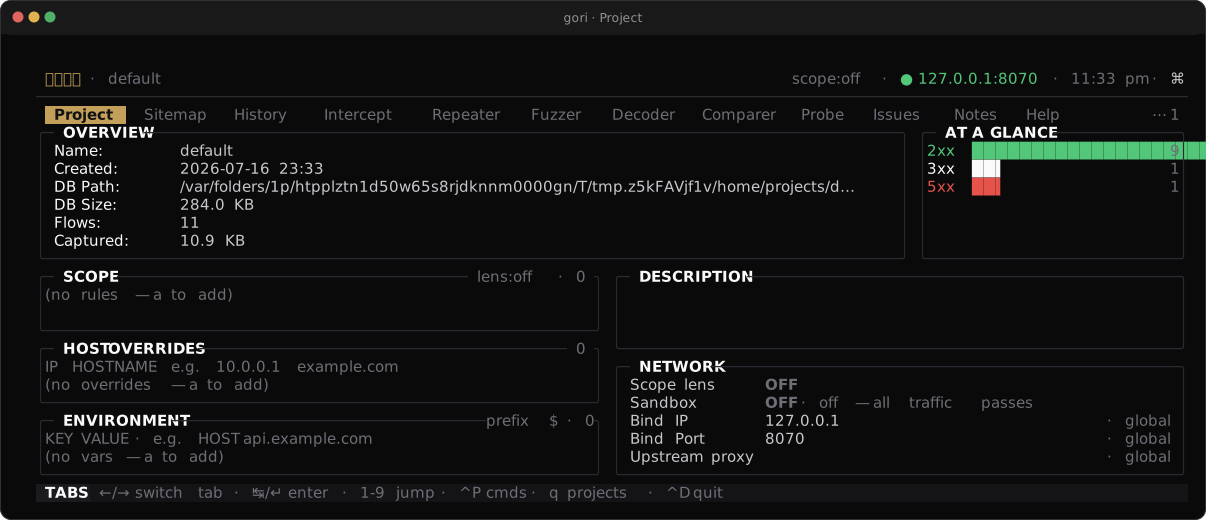
| Sub-tab | Purpose |
|---|---|
| Description | Free-form project notes |
| Scope | Include/exclude rules (host, string, or regex) |
| Host overrides | Per-project dial map |
| Env | Per-project $ENV.KEY variables for outbound requests. See Repeater & Fuzzer |
| Project settings | Scope-lens + sandbox toggles, per-project network pins (bind, upstream proxy, timeouts, capture limit) that override the global Settings default, and the gRPC .proto schema path |
| Activity | Who changed what on this project: the append-only event feed, newest first. Config changes (scope rules, the sandbox, host overrides, $ENV.KEY vars, rewrite rules, the network pins) are recorded wherever they are made, and every row names the actor that made it: tui, cli, or agent. Background job results and agent tool calls land here too, and so does an operator message sent to an attached agent (source operator, one row per delivery, naming which layer it went out through or why it did not). A script's gori run notify line lands here as source script. Filter by s source, l level, a actor or / text; ↵ opens the flow or session an event names, and ⇧X empties the feed (it asks first, since the agent audit trail goes with it). ⇧X is the same key that clears History, Probe issues, the Issues list and the Authorize queue, each in its own tab; plain c stays the capture toggle here as it does everywhere else. This is where a hook or a session binding that failed without raising a notification becomes visible |
Scope rules and host overrides are also scriptable: gori run project scope add --kind=include --type=host --pattern=api.example.com, gori run project host-override add --host=api.example.com --ip=10.0.0.1. Full flags are in the CLI Reference.
Next Steps
- Repeater & Fuzzer: act on the flows you capture
- Decoder: encode, decode, and hash without leaving the TUI
- Scanning & Issues: automated and manual analysis
- Query Language: the full filter syntax