








Repeater edits a copy after the fact; intercept edits the real request while the client waits. This playbook holds a live request, changes it on the wire, forwards it, and then, once you know the edit is worth keeping, turns it into a Match & Replace rule that applies itself with intercept off. It takes about ten minutes.
Before you begin. Have an engagement set up with scope drawn, capture on (
c), and a client pointed at the proxy. The examples useapi.example.com.
1. Arm intercept
Press i to toggle Intercept on, or open the Intercept tab and arm the catch there. A blank condition holds everything (every request through the proxy stalls until you decide it; with the s scope lens on, everything in scope), so narrow it in the filter bar with a query-language expression before you turn it loose:
host:api.example.com method:POST
Now only the POSTs to your target are held; the rest pass straight through. The same tokens the History filter speaks work here (host:, path:, method:, scheme:, status:, plus AND / OR / NOT).
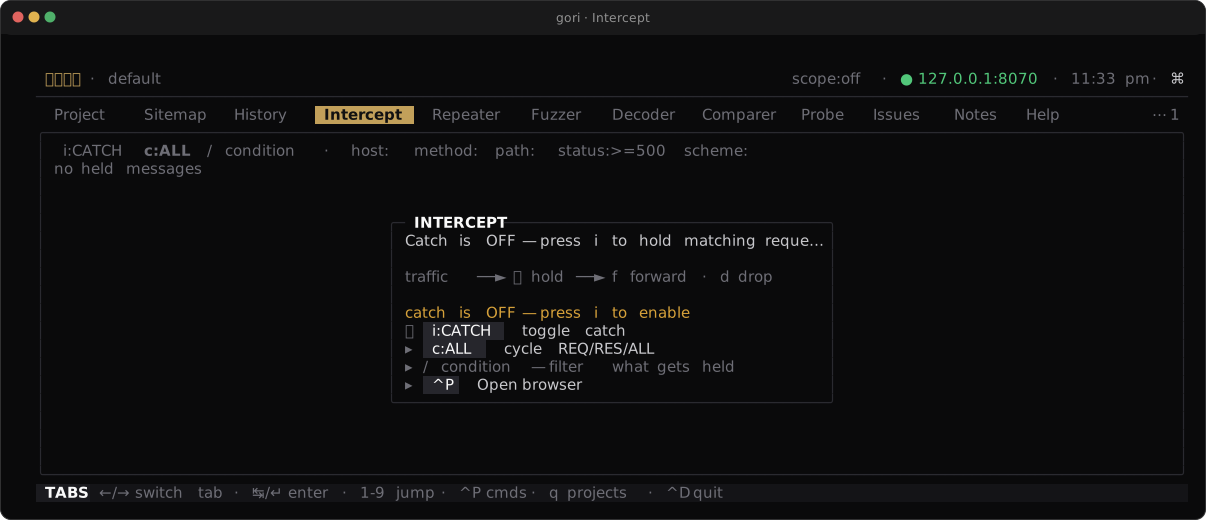
WebSocket is the exception. A WebSocket message is held only when the catch condition contains
proto:ws; nothing else arms it, not a blank condition and not a host filter. That is the opposite of the HTTP rule, and deliberate: a chat or trading socket carrying dozens of messages a second, frozen because you typed a host filter, is not a state you can drain your way out of.
Checkpoint. The Intercept tab shows catch is on, and your condition sits in the filter bar.
2. Catch a request and edit it
Trigger the matching request from your client: a browser click, a curl, a Repeater send. Instead of leaving, it stops in the Intercept queue. Select it and press ↵ / e to open its raw bytes in the editor (the same INS-mode editor the Repeater uses), change what you need (a header value, a JSON field, the path), then press Ctrl-R to forward the edited request. Esc leaves the editor without sending and keeps the edit, so f on the queue forwards it too; inside the editor f just types an f.
Headless, the same queue is drivable from a second terminal against a running TUI:
gori run intercept                       # list held items + catch state
gori run intercept edit 3 --raw-file edited.txt   # forward item 3 with edited bytes
In the TUI editor, an edited request is forwarded with Content-Length resynced (on by default; Ctrl-L toggles it) and the $ENV.KEY environment variables and $GEN.* tokens you typed expanded; extract-rule $BIND.NAME bindings are not resolved on this path. Tokens and $$ escapes that were already in the held message are the client's bytes and go out as they arrived, as does a token you type whose name the held message already carried. An escape you type, such as $$ENV.KEY, is also forwarded as typed. gori run intercept edit expands nothing: the body goes out verbatim, and --no-update-content-length keeps the Content-Length you declared. Otherwise what you typed is what goes out.
Checkpoint. The edited request reaches the origin: switch to History and read the flow to confirm the change and the origin's response.
3. Forward, drop, or edit
Every held item is one of three decisions, and gori applies none of them for you:
- Forward (
f) releases the item byte-exact, or with your edits from step 2.Shift-Fforwards the whole queue at once when a burst has piled up. - Drop (
d) kills it: on HTTP/1.1 the client gets a canned502, on HTTP/2 the stream is cancelled. Use it to see how the client copes when a request never lands. - Edit, then forward is for the request you want to change before it continues, the case step 2 walked through.
Forward and drop act on the marked rows if any are set, else the cursor row, so t to mark a run and one f releases them together. The operator decides each one; nothing is auto-applied.
Checkpoint. You have forwarded one request untouched and dropped another, and History records both, the drop as an aborted flow noted dropped by intercept (request).
4. Make an edit permanent with Match & Replace
Holding every request to make the same edit by hand gets old fast. A standing edit belongs in the Rewriter tab (the Match & Replace editor, off the tab bar by default: press 0 and type "rewriter", or Ctrl-P → Match & Replace). Add a rule with an operation (Replace text in the head or body, Add / Set / Remove a header, Short circuit to answer the request from the rule without dialing the origin at all (a canned response, files from a local directory, a captured flow's response via History's Space M, or a close/reset/hang fault), or Pipe to hand the matched bytes to a command) and scope it to a host glob so it fires only for matching traffic:
gori run rewriter add --op set_header --target request \
  --find X-Forwarded-For --value 127.0.0.1 --host '*.example.com'
Choose where the rule lives: project rules sit in this engagement's database, global rules go in settings.json and apply in every project. Set it in the editor's scope: row, or --scope=global headless. The rule takes effect the moment you save, with no restart, so turn intercept off and the edit now happens on its own, on every matching request.
Checkpoint. With intercept off, matching traffic carries your change automatically, and the editor's live preview shows how many recent flows the rule would touch.
Next Steps
- Fuzz a parameter: take one of these requests and sweep a value across a wordlist
- Proxy & History: the full Intercept reference, HTTP/2 and WebSocket rules
- Match & Replace: every rewrite operation, short-circuit stubs, and global vs project scope